
Database Manager
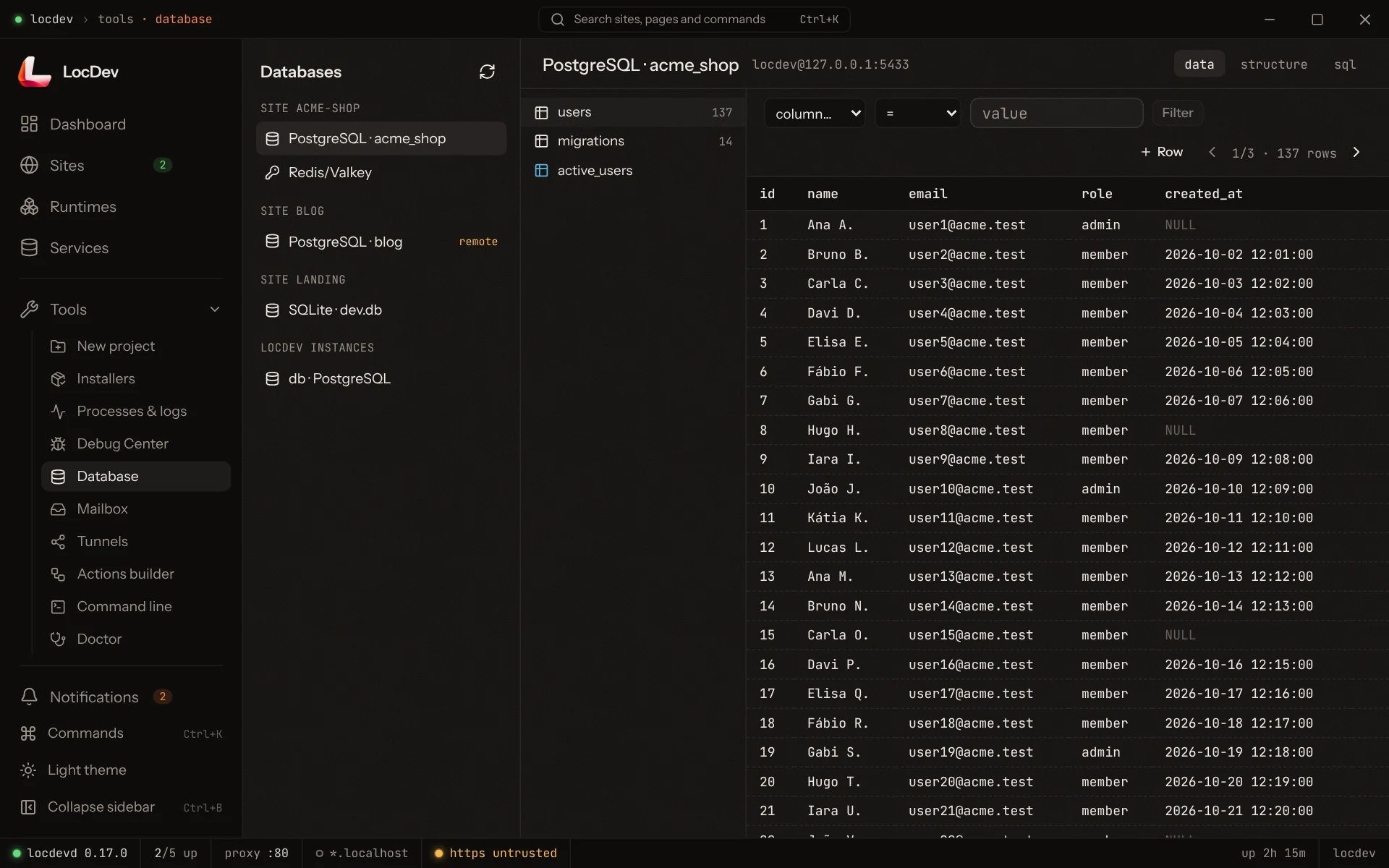
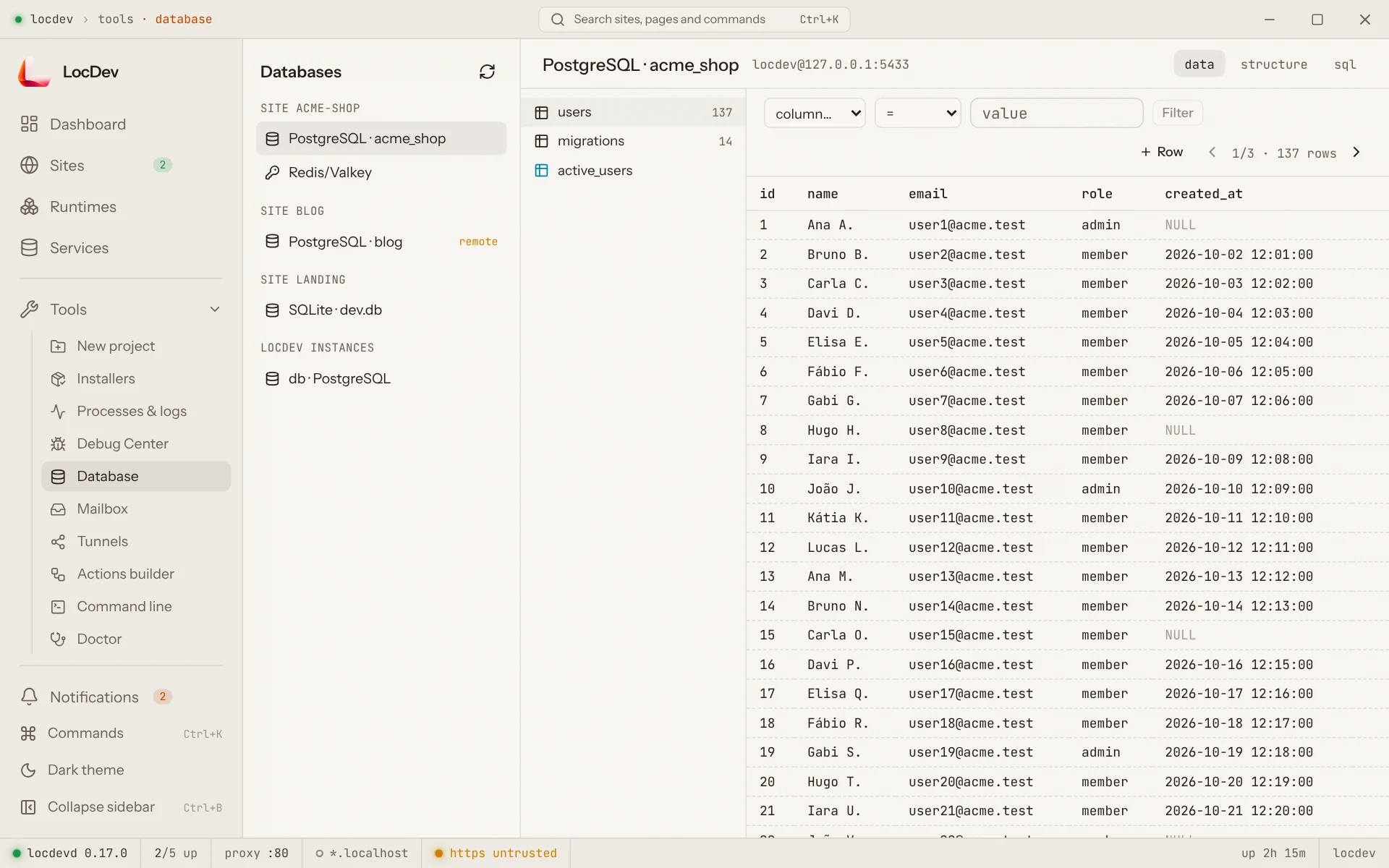
LocDev opens the databases your sites use and the instances it runs itself (see Services): it lists tables, shows structure, pages through rows, edits, inserts, deletes and runs SQL. For Redis and Valkey there's a key browser. In the app it's in Tools → Database; in the CLI, locdev db.
| Engine | Tables and structure | Rows (filter, order, edit) | SQL | Create the database |
|---|---|---|---|---|
| PostgreSQL | yes (with schemas) | yes | yes | yes |
| MySQL / MariaDB | yes | yes | yes | yes |
| SQLite | yes | yes | yes | yes (creates the file) |
| Redis / Valkey | keys via SCAN | read, edit strings, expiry, delete | — | — |
MongoDB doesn't have a browser yet; its instances show in Services.
Where connections come from
Nobody types a password into LocDev. The daemon reads, on every use, what the project already declares in .env and .env.local:
- Laravel:
DB_CONNECTION,DB_HOST,DB_PORT,DB_DATABASE,DB_USERNAME,DB_PASSWORD(withsqlite,DB_DATABASEis the file, ordatabase/database.sqlite). DATABASE_URL(Prisma, Rails, Django, Drizzle…):postgres://,mysql://,mariadb://,file:andsqlite:. With Prisma, afile:./dev.dbis relative to theprisma/folder, as Prisma itself does.- Redis:
REDIS_URL, orREDIS_HOST/REDIS_PORT/REDIS_USERNAME/REDIS_PASSWORD. - Known SQLite files:
database/database.sqlite,db.sqlite3,prisma/dev.db,storage/database.sqlite,db/development.sqlite3. - Shared variables the site gets (see Environment variables) are read as if they were in
.env. - LocDev instances, with each service's local user.
The same database declared twice (for example DB_* and DATABASE_URL) shows up only once.
locdev db list                       # every connection, from every site and instance
locdev db connect acme               # host, port, database and user (never the password)
locdev db tables acme
locdev db describe users acme        # columns, indexes and foreign keys
locdev db rows users acme --where role=admin --order-by id --desc
locdev db query "select count(*) from users" acme
locdev db create acme                # create the database the site's .env names
With more than one database in the site, the CLI uses the first SQL database; --conn <id> (from locdev db list) picks another.
What stays protected
- Credentials don't leave the daemon. The app and the CLI only know an identifier (
project:<site>:<n>orinstance:<name>) and whether there's a password. Passwords don't show up in responses, logs or error messages. - Databases outside this machine (a
DB_HOSTthat isn't127.0.0.1/localhost/::1) show the remote badge and only open with an explicit choice: the Open it anyway button in the app or--allow-remotein the CLI. It may be production, and everything you edit there is real. - Nothing is created without a request. If the server answers but the database doesn't exist, the app shows a notice with a Create button. The name comes from the site's configuration and is validated (letters, numbers,
_and-). - Destructive commands ask for the database name.
DROP,TRUNCATE,ALTER … DROP,GRANT/REVOKE, andDELETE/UPDATEwithoutWHEREor with an always-trueWHERE(1=1,true,id = id,… or 1=1). The daemon redoes this analysis when executing, so a client can't skip the confirmation. Outside an interactive terminal, the CLI refuses instead of asking. - Values go as parameters. Filters, edits and inserts never build SQL from typed text: columns and tables come from the database's own catalog, and values go as parameters.
- Limits: at most 1000 rows per result (the rest is flagged as truncated) and 35 s per operation.
The destructive SQL analysis is a conservative heuristic, not a full parser. It catches the common cases, but it's no substitute for a backup: for LocDev instances, use locdev service backup before a big change.
In the app
- Data: a paged grid (50 per page), sorting by clicking a column name, per-column filters (
=,!=,<,>,like,is_null…), double-click editing (Enter saves, Esc cancels, NULL writes null), inserting (empty fields use the column default) and deleting with confirmation. Editing, inserting and deleting need a primary key; without one, use SQL. - Structure: columns, types, nullability, defaults, indexes and foreign keys.
- SQL: an editor with highlighting, Ctrl+Enter to run, shortcuts to insert table names, and a local history (kept on this computer only).
- Redis/Valkey: search by pattern (
user:*), each key's type and TTL, reading by type (string, list, hash, set, zset), editing strings while keeping the expiry, removing the expiry and deleting the key.
Known limitations
- No TLS: connections to servers that require SSL (
sslmode=require,rediss://) fail. For remote databases with TLS, use the provider's own client. - Values are shown as text. Binary columns show as lossy text.
- Validated for real on Linux with SQLite, PostgreSQL 18 and Redis 8 (
crates/locdev-db/tests/real.rstests). MySQL/MariaDB is implemented but hasn't been tested against a real server yet.