
New project
In Tools → New project (or locdev new), LocDev creates a project with the framework's own installer (laravel new, composer create-project, npm create vite, create-vue, ng new, rails new, cargo init…), with the options that installer documents, and registers the folder as a site at the end. No need to open the framework's docs to remember the commands.
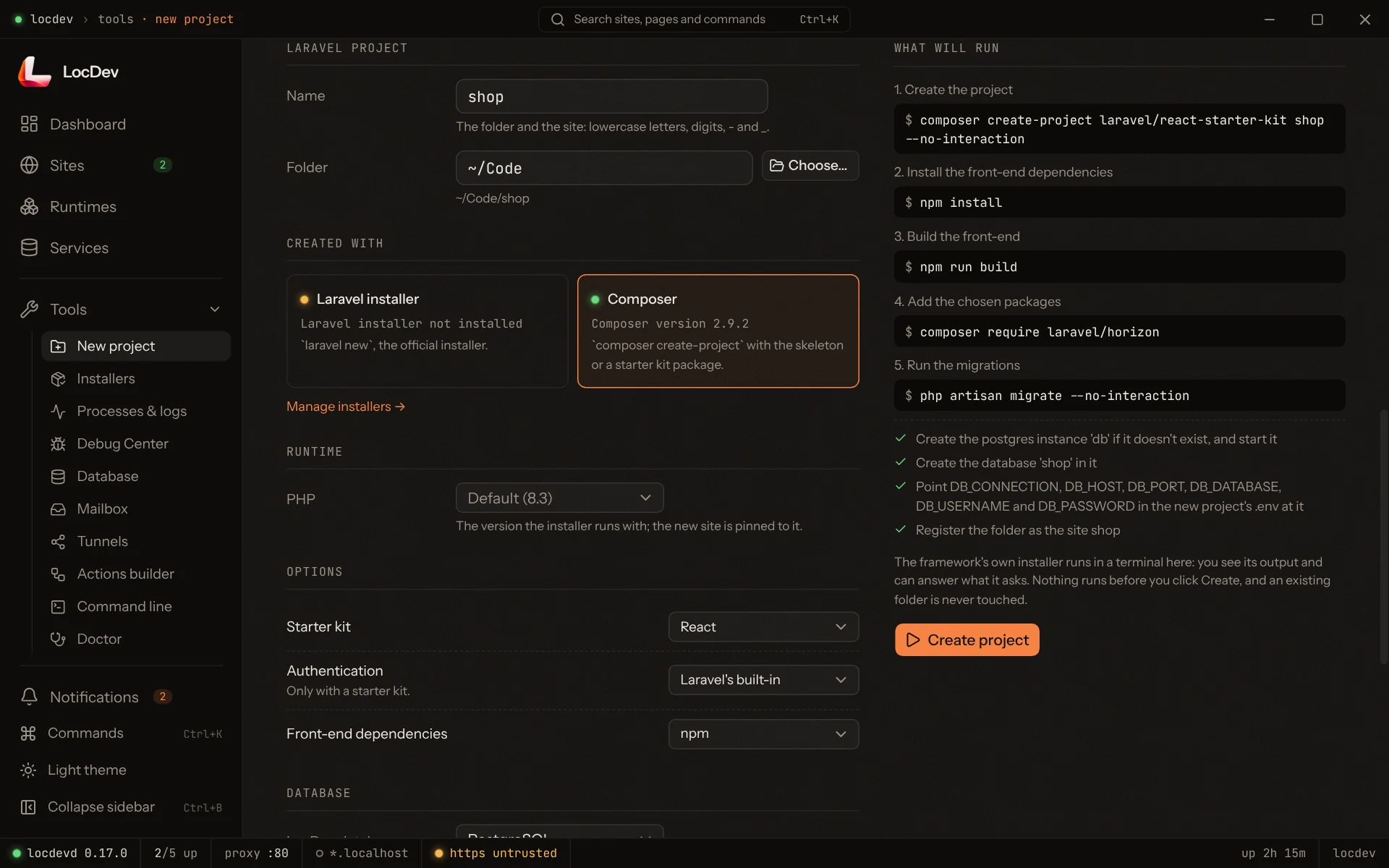
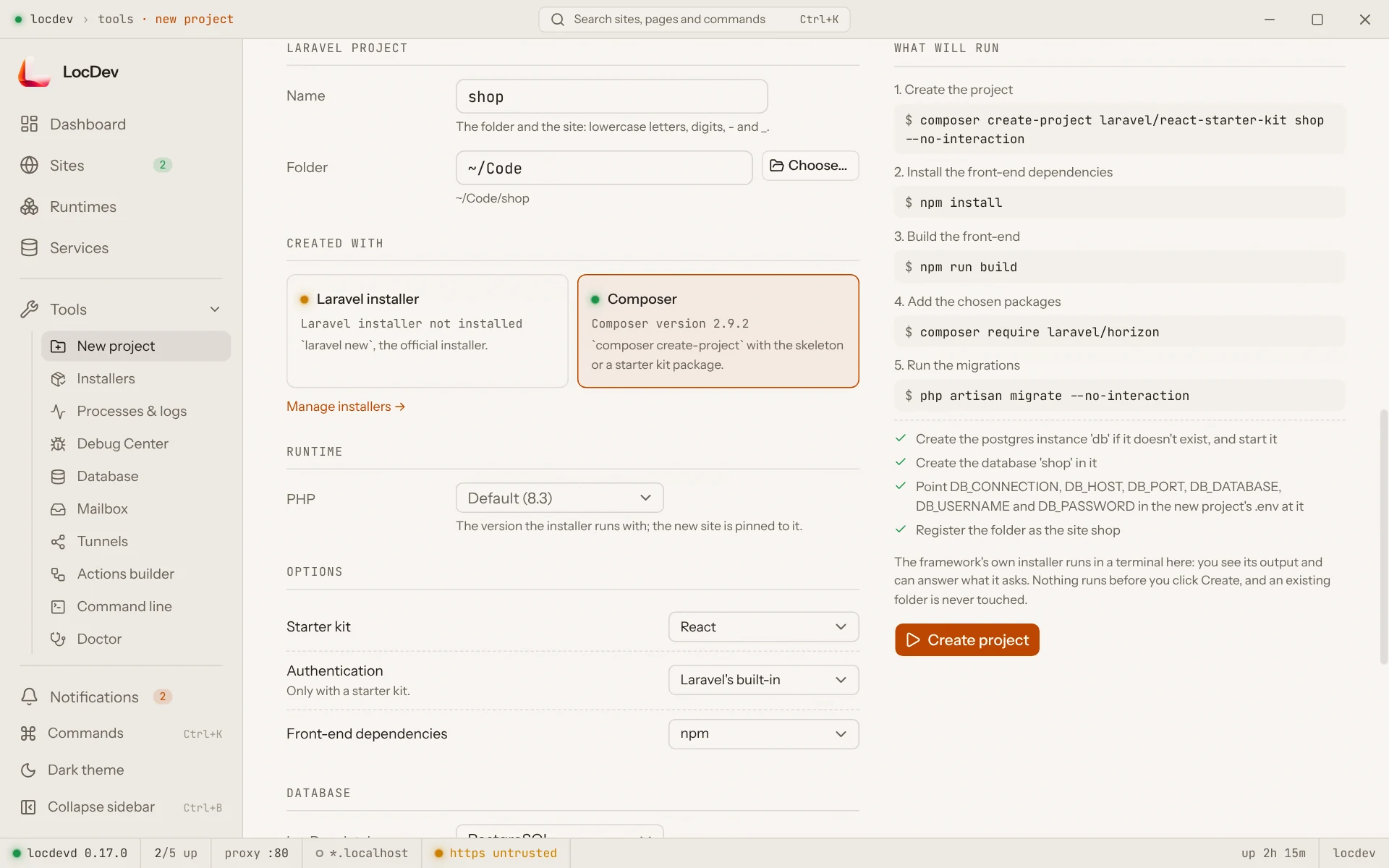
How it works
- Pick the framework. Its form opens on a screen of its own (← Frameworks goes back). Each framework has its own ways to be created and its own options (table below).
- Name and folder. The name becomes the folder and the site (
shop→shop.test). The folder must not exist: LocDev never creates over anything. In the app, new projects go to~/LocDev/Sitesby default (made on first use; any other folder can be chosen);locdev newuses the current folder. - How to create it. For instance, Laravel with its installer or with Composer; JavaScript projects with npm, pnpm or Bun. Each choice shows whether the tool is installed and its version.
- Runtime (PHP and JavaScript): the PHP or Node.js version the installer runs with, among the installed ones. The new site is pinned to it. Default uses LocDev's default version.
- Options. Starter kit, authentication, tests, TypeScript, Tailwind, linter, routing, template… Only the ones the chosen method accepts show up.
- Database (Laravel): a LocDev instance (PostgreSQL, MySQL or MariaDB), new or existing.
- Packages: search npm or Packagist, depending on the framework, to install right after creating.
- What will run: the files LocDev writes (when there are any), each exact command and what LocDev itself does between them. Nothing runs before Create project.
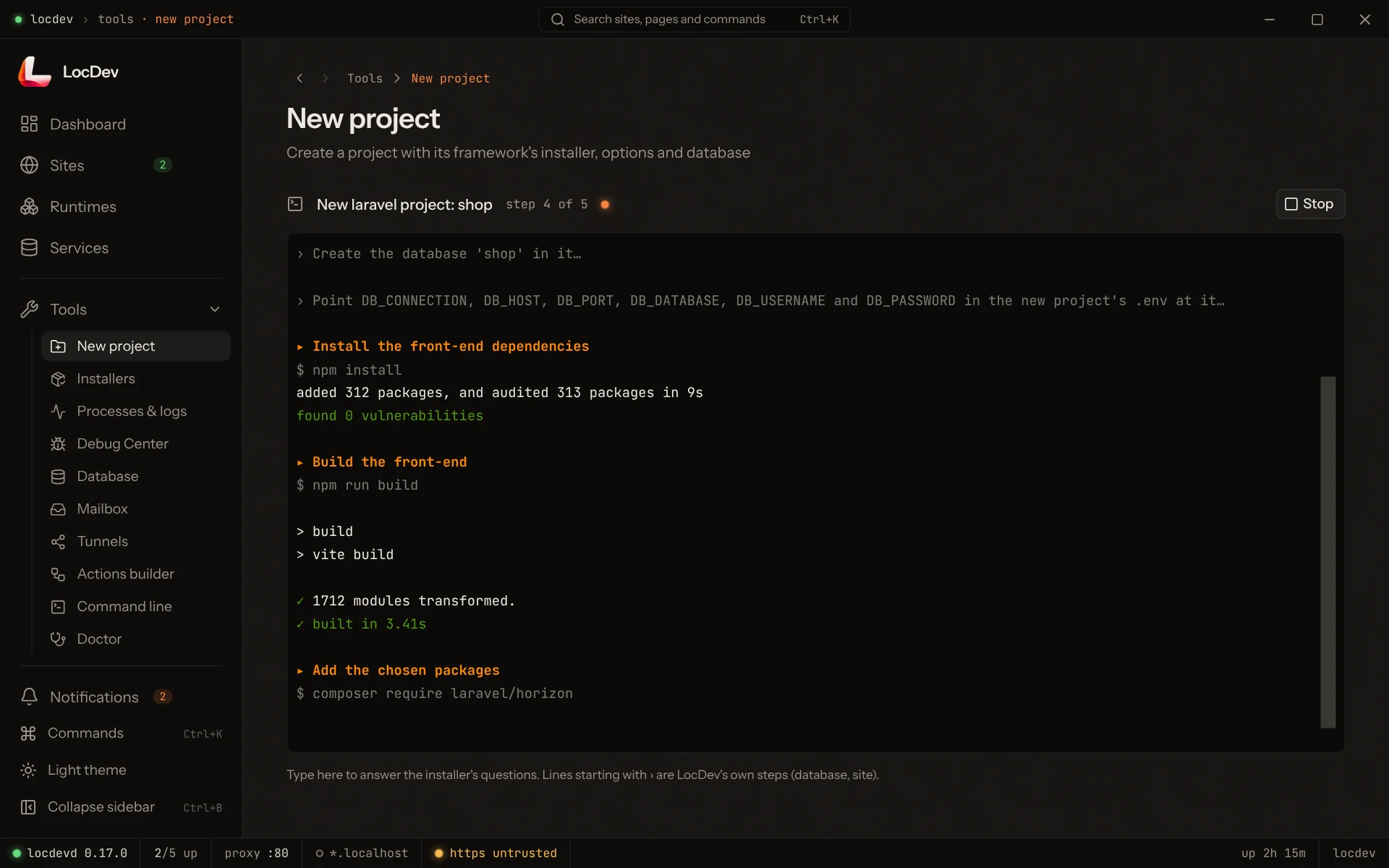
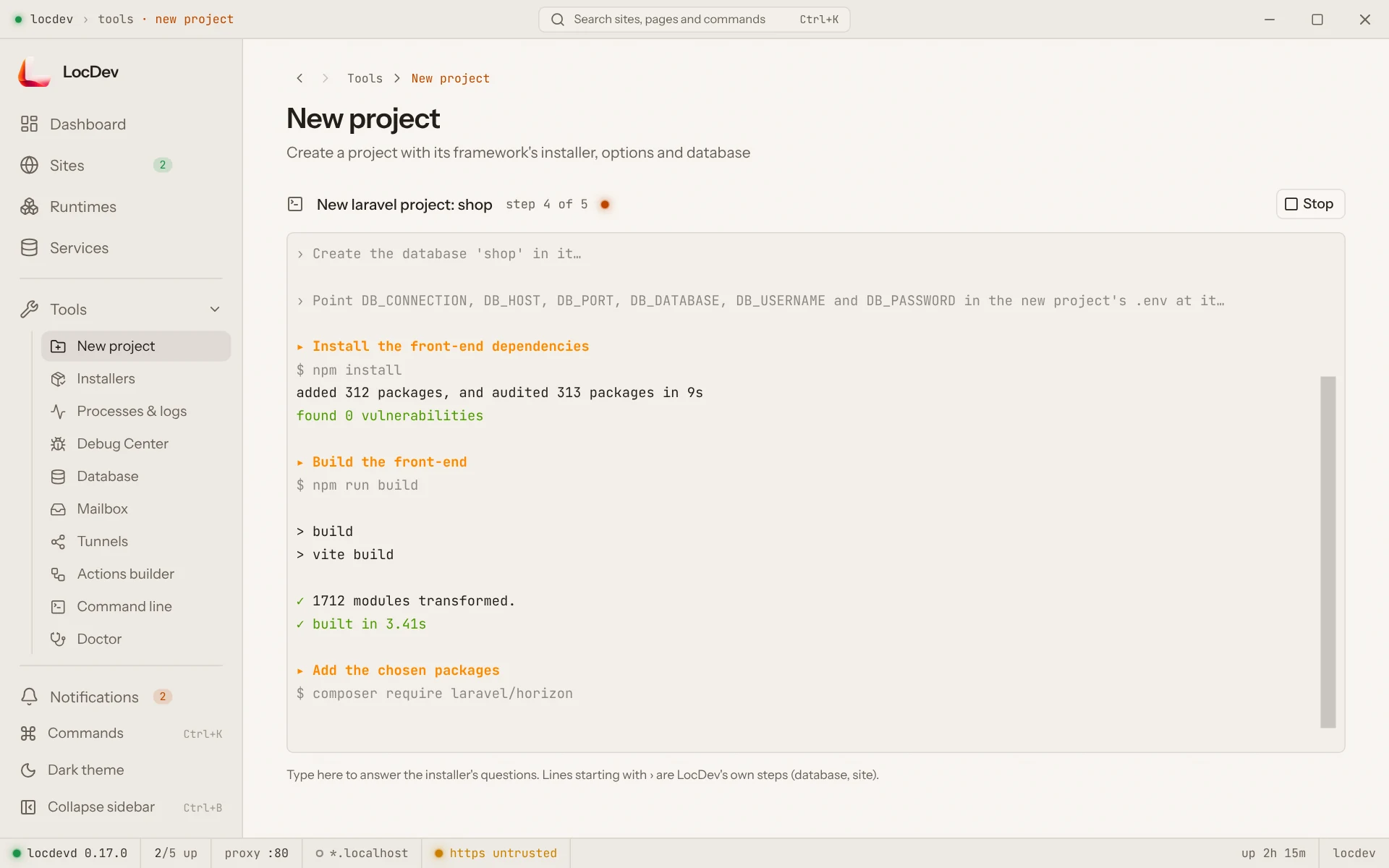
Then the steps run in a terminal inside the app: you see the installer's output and can answer what it asks. Lines starting with › are LocDev's (files, database, site). When it's done, the site is registered and starts by itself: its button shows Running (click it to stop), next to Open site.
Frameworks without a generator
Plain PHP, Flask, FastAPI, Axum and Actix Web have no official command that creates a project ready to serve. For them, LocDev writes minimal starter files before the commands, and the plan lists each one (click to see its contents):
| Framework | LocDev's files | Then |
|---|---|---|
| PHP | public/index.php | git init (optional) |
| Flask | app.py, requirements.txt (flask), .gitignore | .venv + pip install -r requirements.txt, git init |
| FastAPI | main.py, requirements.txt (fastapi[standard]), .gitignore | .venv + pip install -r requirements.txt, git init |
| Axum | src/main.rs | cargo init, cargo add axum, cargo add tokio --features full |
| Actix Web | src/main.rs | cargo init, cargo add actix-web |
LocDev makes the folder, writes the files without ever overwriting anything and only then runs the official tools: cargo init adopts the src/main.rs already there, and pip installs what requirements.txt lists. The files are chosen so detection recognizes the framework (a test checks it), so the site starts with the right command: php -S … -t public, flask --app app run, fastapi dev main.py or cargo run. The Rust servers read their port from PORT, which LocDev sets.
WordPress uses WP-CLI (wp core download, which checks the download's hash); the setup finishes in the browser on the first visit.
What LocDev does besides the commands
With a LocDev database chosen, between creating the project and the migrations:
- creates the instance if it doesn't exist yet, and starts it;
- waits until it accepts connections and creates the database named after the project (
my-shop→my_shop); - points
DB_CONNECTION,DB_HOST,DB_PORT,DB_DATABASE,DB_USERNAMEandDB_PASSWORDin the new project's.envat it (existing lines are replaced in place, including the ones Laravel comments out; the rest of the file stays as it was); - runs
php artisan migrate.
With the Laravel installer, the driver (--database=pgsql, mysql or mariadb) follows the chosen database.
Frameworks and options
| Framework | Created with | Options |
|---|---|---|
Laravel laravel | Laravel installer, Composer | starter_kit=true|falsestack=blade|react|svelte|vue|livewirekit=react|svelte|vue|livewireauth=laravel|workossingle_file=true|falseteams=true|falsetesting=pest|phpunitdatabase=sqlite|mysql|mariadb|pgsqlnode=npm|pnpm|bun|noneboost=true|falsegit=true|false |
Symfony symfony | Symfony CLI, Composer | type=webapp|skeleton |
PHP php | LocDev starter | git=true|false |
WordPress wordpress | WP-CLI | locale=en_US|pt_BR|es_ES|ja |
WordPress (Bedrock) bedrock | Composer | — |
Next.js nextjs | npm, pnpm, Bun | language=ts|jstailwind=true|falselinter=eslint|biome|noneapp=true|falsesrc=true|falsegit=true|false |
Vite vite | npm, pnpm, Bun | framework=react|vue|svelte|solid|preact|lit|vanillalanguage=ts|js |
Vue vue | npm, pnpm, Bun | language=ts|jsrouter=true|falsepinia=true|falsevitest=true|falseeslint=true|false |
Angular angular | npm, pnpm, Bun | style=css|scss|sass|less|tailwindrouting=true|falsessr=true|falsegit=true|false |
Nuxt nuxt | npm, pnpm, Bun | git=true|false |
Astro astro | npm, pnpm, Bun | template=basics|blog|portfolio|minimalgit=true|false |
SvelteKit sveltekit | npm, pnpm, Bun | template=minimal|demotypes=ts|jsdoc |
NestJS nestjs | npm, pnpm, Bun | language=ts|jsgit=true|false |
Django django | Python venv + pip | — |
Flask flask | Python venv + pip | git=true|false |
FastAPI fastapi | Python venv + pip | git=true|false |
Rust web server rust | Cargo | framework=axum|actixgit=true|false |
Ruby on Rails rails | rails new | database=sqlite3|postgresql|mysqlcss=none|tailwind|bootstrap|sassjavascript=importmap|esbuild|bungit=true|false |
ASP.NET Core dotnet | .NET SDK | template=webapp|mvc|webapi|blazor|web |
Each installer's flags come from its source code or official docs, and a test checks the commands generated for every combination. Commands run without a shell, only with programs from a fixed list (laravel, composer, npm, npx, pnpm, bun, bunx, rails, dotnet, python3, cargo, wp, git…), and the project and package names are validated before they go into a command.
Two command details that apply to all:
npm create --yes x@latestkeeps npm from stopping to ask whether it may download the generator.- Installers run without the options that skip their questions (
--no-interactioninlaravel new, Composer andartisan migrate,--yesincreate-next-appandcreate-astro,--defaultsinng new): what LocDev's flags don't answer, the installer asks in the terminal, where you also see its output and any error. - The Angular CLI runs with
NG_CLI_ANALYTICS=false(shown in the command), the documented way to send no usage data and not be asked about it in the middle of the run.
Installers
Tools → Installers (or locdev tools list) lists the tools projects need, whether they're installed, their version and where:
| Tool | How LocDev installs it |
|---|---|
| PHP, Composer, Node.js, npm, pnpm | in Runtimes, with a verified download |
| Laravel installer | composer global require laravel/installer, in a terminal, after showing the command |
| Rails | gem install rails (needs Ruby; a per-user install when Ruby's gem folder needs administrator rights) |
| Symfony CLI, Bun, uv, Poetry, Cargo, rustup, WP-CLI, .NET SDK; Python, pipx and Git on Windows and macOS | their publisher's documented command (see Installers from the app); otherwise a link to the official installer |
Tools are also found where their official installers put them, even outside PATH: Composer's global folder (~/.config/composer/vendor/bin, ~/.composer/vendor/bin or %APPDATA%\Composer\vendor\bin), ~/.bun/bin, ~/.cargo/bin (rustup), ~/.local/bin, the Symfony CLI's (~/.config/symfony-cli/bin) and per-user gems (~/.local/share/gem/ruby/*/bin). They come after PATH, so LocDev's runtimes, first on PATH, are the ones found and used.
From the command line
locdev new                                        # asks what to create, step by step
locdev new list                                   # frameworks, methods and options
locdev new laravel shop --php 8.4 -o kit=react --database postgres:db
locdev new nextjs web --package-manager pnpm -o linter=biome -p zod
locdev new vite ui --typescript
locdev new django api --in ~/Code --yes
locdev new rust edge -o framework=actix
locdev tools list
locdev tools install laravel
locdev new <framework> <name> is the same as locdev new project <framework> <name> (which still works), with the same options:
| Option | Does |
|---|---|
--method / --package-manager | how to create it (installer, composer, npm, pnpm, bun…) |
-o KEY=VALUE | a framework option (locdev new list shows them all) |
--typescript | TypeScript, for frameworks that offer it |
--php / --node | the version the installer runs with; the site is pinned to it |
-p PACKAGE | a package to add afterwards |
--database SERVICE:INSTANCE | a LocDev database (Laravel) |
--in DIR | where to create it (the current folder by default) |
--no-site | don't register it as a site |
--yes | don't ask before running |
locdev new alone, in a terminal, asks for the framework, name, folder, method, each option and the runtime version, shows the plan and asks to confirm. The output shows in the terminal, and what you type goes to the installer.
Limits
- Validated end to end on Linux, creating the project and serving the site through LocDev: Laravel 13 with the Laravel installer (with a new PostgreSQL instance, the database created,
.envpointed at it and the migrations), Vue, Angular, Flask, FastAPI, plain PHP, Axum and Actix Web, and creating with a chosen PHP version (pinned on the site). Also checked in a browser over HTTPS and HTTP, with no console errors: Laravel (with and without a starter kit, with the Vite helper), Symfony (Composer), Bedrock, Next.js, Nuxt, Vite, Vue, Astro, SvelteKit, Angular, NestJS, Django (including the admin login over HTTPS), Flask, FastAPI, Rails, ASP.NET Core and Axum. WordPress through WP-CLI wasn't run because WP-CLI wasn't installed. - For Django, Flask and FastAPI, a
.venvinside the project gets the packages frompip; Django's settings package is calledconfig, and itssettings.pygets, underif DEBUG:,.testinALLOWED_HOSTSandSECURE_PROXY_SSL_HEADERfor LocDev's proxy. create-vueonly skips its questions when some option is on; with everything off and JavaScript, it asks in the terminal.- Added packages run the install scripts their package manager would normally run.
- Windows and macOS haven't been tested yet (the terminal uses ConPTY on Windows).
Laravel: the installer's own questions
LocDev asks what laravel new asks, in the same order:
- Do you want to use a starter kit?
- Without one: the frontend stack (Blade, or React, Vue, Svelte and Livewire as the blank kits, without authentication).
- With one: the kit's stack, the authentication provider (Laravel's own or WorkOS) and, with Laravel's, single-file Livewire components and teams support.
- Then tests (Pest or PHPUnit), database, front-end dependencies, Laravel Boost and Git.
The installer runs with the matching flags (--react --workos, --vue --no-authentication, --livewire-class-components, --teams…). With Composer, the same choices become the kit's package and branch (laravel/react-starter-kit:dev-teams, --stability=dev).
Installers from the app
Tools → Installers lists the tools the starters need and installs them without leaving the app. PHP, Composer, Node.js and pnpm install as verified runtimes; the others with their publisher's documented command for your system, shown first and run in a terminal in the app:
| Tool | Command |
|---|---|
| Laravel installer | composer global require laravel/installer |
| Symfony CLI | scoop install symfony-cli (Windows), brew install symfony-cli/tap/symfony-cli (macOS), the official script (Linux) |
| Bun | the official script (curl -fsSL https://bun.sh/install | bash; PowerShell on Windows) |
| uv | winget install --id=astral-sh.uv -e (Windows), the official script (macOS, Linux) |
| Poetry | The official installer |
| Python | winget install -e --id Python.Python.3.13 (Windows), brew install python (macOS); on Linux, your distribution's package |
| pipx | scoop install pipx (Windows), brew install pipx (macOS); on Linux, your distribution's package |
| Rust (rustup, Cargo) | The official script (macOS, Linux) |
| WP-CLI | composer global require wp-cli/wp-cli-bundle |
| Git | winget install --id Git.Git -e --source winget (Windows), brew install git (macOS) |
| .NET SDK | winget install Microsoft.DotNet.SDK.10 (Windows), dotnet-install.sh --channel LTS (macOS, Linux) |
| Rails | gem install rails, or gem install --user-install rails when Ruby's gem folder isn't writable (a system Ruby) |
A tool without a command for your system keeps the link to its install page. locdev tools install <id> does the same from the terminal.