
Runtimes and package managers
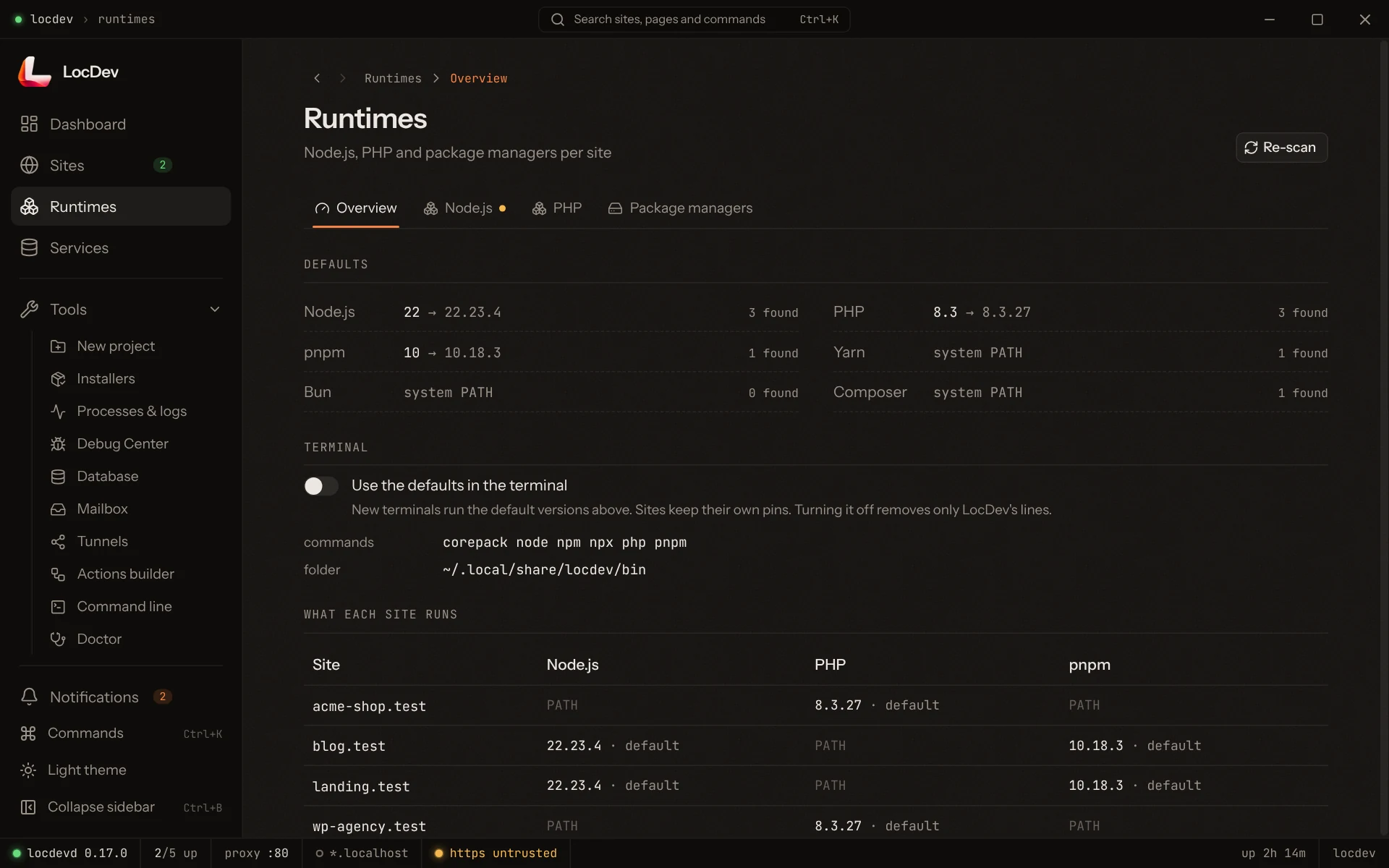
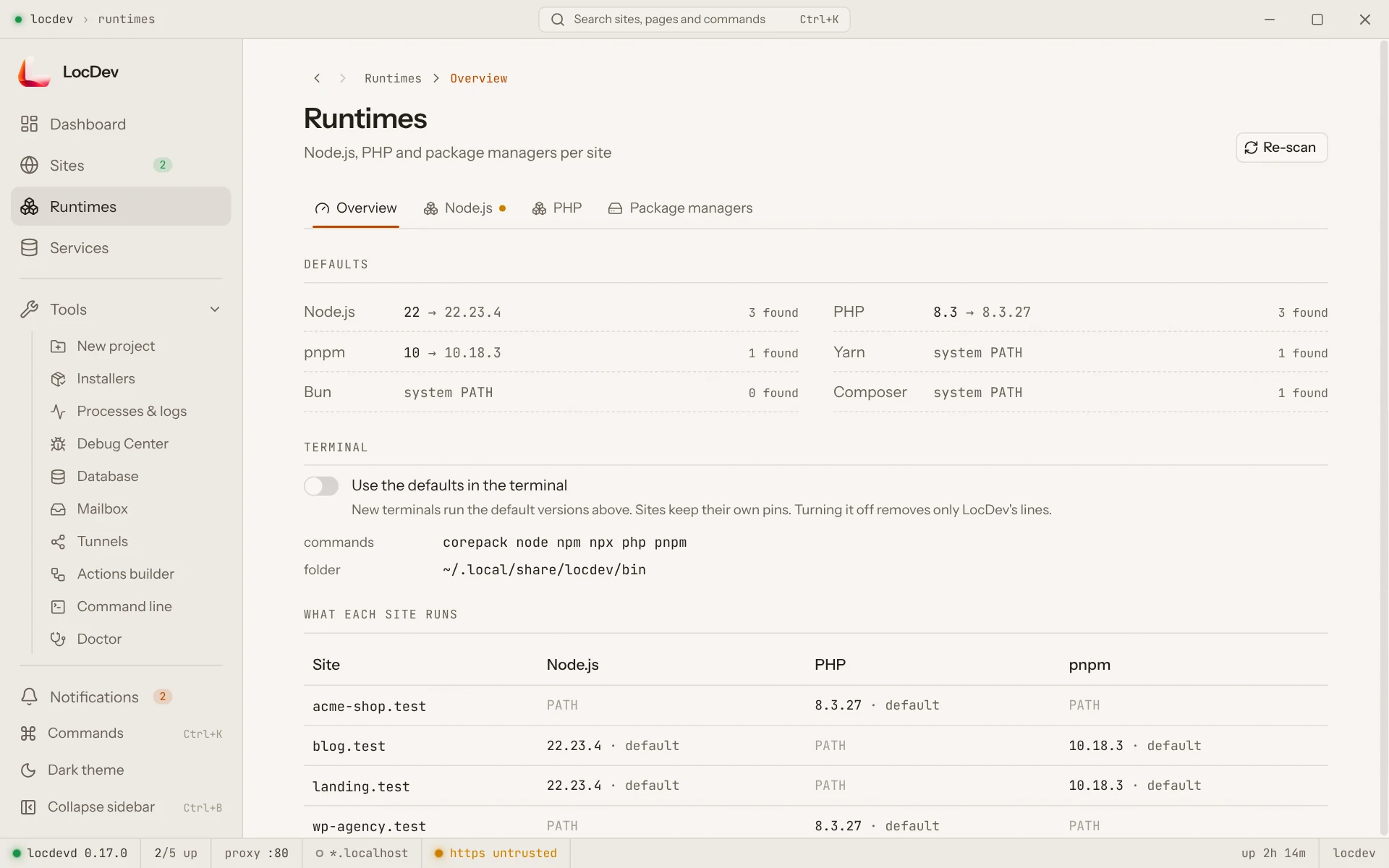
Each site can run with its own Node.js and PHP version, and its own pnpm, Yarn, Bun or Composer version, without touching the machine's global environment. LocDev puts the right versions at the front of the site process's PATH.
LocDev keeps three things apart:
- Runtimes run the code: Node.js and PHP.
- Package managers install dependencies: npm, pnpm, Yarn, Bun and Composer. They run on the site's runtime (pnpm uses the site's
node; Composer, the site'sphp). - Build tools (Vite, webpack, Next…) are the project's own dependencies and show up on the dependencies page, not here.
Where versions come from
- Managed by LocDev (
locdevbadge): downloaded from the official distribution and verified against the published SHA-256 before installing. Installation happens in a temporary folder and only moves into place with arename, so it's never left half-done. - Detected on the system (badge with the source): system packages (
/usr/bin/php8.3), Homebrew (php@8.2,node@20), nvm, fnm and other tools onPATH. LocDev only uses these versions; it never changes or removes them.
| Tool | Installed by LocDev | Detection |
|---|---|---|
| Node.js | nodejs.org, verified by SHASUMS256.txt | nvm, fnm, Homebrew, PATH |
| PHP | ready-made binaries from StaticPHP (Linux/macOS) and windows.php.net (Windows), publisher's SHA-256 | apt (php8.x), Homebrew, other tools, PATH |
| npm | ships with each Node.js and follows its version | each managed Node.js's npm, PATH |
| pnpm | npm registry, verified by integrity (sha512) | ~/.local/share/pnpm, PATH |
| Yarn | npm registry (yarn 1.x, @yarnpkg/cli-dist 2+), sha512 | ~/.yarn/bin, PATH |
| Composer | getcomposer.org, verified by the published SHA-256 | PATH |
| Bun | not installed (use the bun.sh installer) | ~/.bun/bin, PATH |
pnpm, Yarn and Composer aren't native binaries: each installed version gets small launchers (locdev-bin/pnpm, pnpm.cmd on Windows) that call the node/php on PATH, that is, the site's. If the version needs a newer runtime (pnpm's engines.node, Composer's minimum PHP), doctor warns.
Version support
Each version shows the publisher's support phase: the official Node.js schedule (nodejs/Release) and the PHP branch states (php.net/releases/states.php). Versions in maintenance, security only and end-of-life get a badge, and doctor warns when a site runs an unsupported version. A copy of this data ships with LocDev so it works offline; the daemon refreshes it in the background (never with [network] offline = true).
LocDev's PHP
LocDev doesn't compile PHP: it downloads ready-made binaries from the projects that publish them, always checking the publisher's SHA-256 before installing.
- Linux and macOS: the static builds of StaticPHP (the static-php-cli project), from
dl.static-php.dev. Theversions.json/version_<MM>.jsonindex has the newest version of each line with its SHA-256; older versions are listed with the.sha256file published next to each one. A version without a published checksum isn't listed and isn't installed. - Windows: the official zips from windows.php.net (NTS x64), through
releases.json, which has the SHA-256 of every zip. Only the newest version of each line has a published checksum there, so only that one is offered. The official zips need the Visual C++ Redistributable installed.
LocDev uses StaticPHP's bulk extension set, which covers Laravel, Symfony and WordPress: bcmath, curl, gd, imagick, intl, mbstring, mysqli, opcache, openssl, pdo_mysql, redis, sodium, zip and more. PDO's SQLite and PostgreSQL drivers come from the Swoole hooks included in the build (PDO::getAvailableDrivers() lists sqlite and pgsql), so pdo_sqlite/pdo_pgsql don't show in php -m, but Laravel on SQLite works as usual. The common set ([runtimes] php_flavor = "common" in config.toml) is smaller and has pdo_sqlite/pdo_pgsql as extensions, but no intl, opcache, sodium or mysqli. The site's extensions view (locdev runtime extensions) shows what each project is missing.
When installing, LocDev writes a php.ini next to the binary (bin/php.ini, where PHP looks first) pointing curl.cainfo and openssl.cafile at the system's certificate bundle: static builds don't know where it is, and without it Composer and Guzzle fail over HTTPS. On Windows, the generated php.ini enables the extensions included in the zip.
locdev runtime available php          # the newest of each line (8.2, 8.3, 8.4, 8.5…)
locdev runtime available php --all    # every version with a published checksum
locdev runtime install php 8.4
A mirror with the same layout can be set in
config.toml:[runtimes] php_static_url(Linux/macOS) andphp_windows_url(Windows). The checksum still comes from the mirror's index, so only use a mirror you trust.
To adjust memory_limit, uploads, timezone and other directives per version without touching the system's php.ini, see PHP settings.
Pinning versions
A pin can be a line (22, 8.3) or an exact version (22.11.0). A line picks the newest installed version of that line.
locdev runtime install node 22        # the latest 22.x
locdev runtime install node lts       # the current LTS
locdev runtime default node 22        # default for sites without a pin
locdev edit blog --node 20            # pin for this site only
locdev edit shop --php 8.3
locdev edit blog --node ""            # back to the default
locdev reload blog                    # apply
In the app, pins live in the site's Edit settings…, and the default on the Runtimes screen, through the ⋯ menu or by right-clicking a version.
Resolution order, per runtime or manager:
- the site's own pin (
locdev edit); - otherwise, a project version file:
.nvmrc,.node-version,.php-version,.tool-versions,voltaandpackageManagerinpackage.json,config.platform.phpincomposer.json..nvmrcacceptslts/*,lts/ironandnode; - otherwise, if the project declares a range (
engines.node,require.php) and the default doesn't satisfy it, the newest installed version inside it; - otherwise, the default;
- otherwise, whatever comes first on the system
PATH, which is the behavior without LocDev.
If a pin or version file points to a Node.js or PHP that isn't installed, the site doesn't start and the error names the command that fixes it. A reload in that situation keeps the current process up. For package managers it's only a warning: the one on PATH is used. When the chosen version is outside the range the project declares, the site detail and doctor show the difference.
In the terminal
Default versions apply to sites without a pin. To use them in the terminal too (php, node, npm, composer…), turn on Use the defaults in the terminal in Runtimes → Overview, or:
locdev runtime default php 8.4
locdev runtime default node 22
locdev runtime terminal on      # then open a new terminal
locdev runtime terminal         # state, commands and changed files
locdev runtime terminal off
LocDev keeps a folder of its own (~/.local/share/locdev/bin on Linux) with a small script per command that runs the default version. Changing the default in the app changes what the terminal runs, without reopening anything. A kind without a default gets no script, and the terminal finds the system's own.
- Linux and macOS: a marked block at the end of
~/.bashrcand~/.zshrc(the ones that exist, plus your shell's) puts the folder first onPATH; for fish, a file of its own at~/.config/fish/conf.d/locdev.fish. Turning it off removes exactly that block. - Windows: the folder goes first on the user's
Path. The systemPathcomes before it, so a PHP or Node.js installed for all users still takes precedence.
Safe removal
locdev runtime uninstall refuses to remove a version a running site uses. If stopped sites or the default resolve to it, removal needs --force (in the app, a confirmation that lists the sites). System versions are never removed.
Updates
When there's a newer version of a line you installed (for example Node.js 22.23.4 → 22.23.6), the list shows the update. locdev runtime update node 22 installs the new version; the old one stays installed until you remove it, so sites that pinned the exact version don't break.
Commands
| Command | Description |
|---|---|
locdev runtime list [--refresh] | Managed and detected versions, defaults, support, usage and updates. --refresh scans the machine again. |
locdev runtime available <kind> [--all] | The catalog (the newest of each line, or all). |
locdev runtime install <kind> <version> | Download, verify and install. Accepts 22, 8.3, 22.11.0, lts, latest. |
locdev runtime update <kind> [line] | Install the newest version of the lines already installed. |
locdev runtime uninstall <kind> <version> [--force] | Remove a managed version. |
locdev runtime default <kind> [version] | Set the default (--clear removes it). |
locdev runtime terminal [on|off] | Use the default versions in new terminals (without an argument, shows the state). |
locdev edit <site> --node/--php/--pnpm/--yarn/--composer/--bun <version> | Site pin ("" goes back to the default). |
<kind> is node, php, pnpm, yarn, composer or bun (npm only appears in the list). The site process also gets LOCDEV_NODE_VERSION, LOCDEV_PNPM_VERSION and so on with the resolved version.
PHP extensions
Runtimes → PHP → Extensions (or locdev runtime modules [version]) lists every extension a PHP on this machine loads, with its version, the php.ini it read and the files its extension folder has but doesn't load (Windows: php_*.dll in ext; enable them in php.ini). LocDev only runs a PHP it detected itself.
For a site, Overview → PHP extensions (or locdev runtime extensions <site>) compares what the project needs with what its PHP loads: ext-* in composer.json and composer.lock, the framework's requirements and the database driver .env names. Missing ones come with how to get them for that PHP.
It also lists the extensions the installed packages recommend: their suggest entries in composer.lock (for example intervention/image → gd or imagick), each marked loaded or absent with the package's own reason. Recommendations never block anything.
locdev runtime modules 8.4
locdev runtime extensions shop