
PHP settings
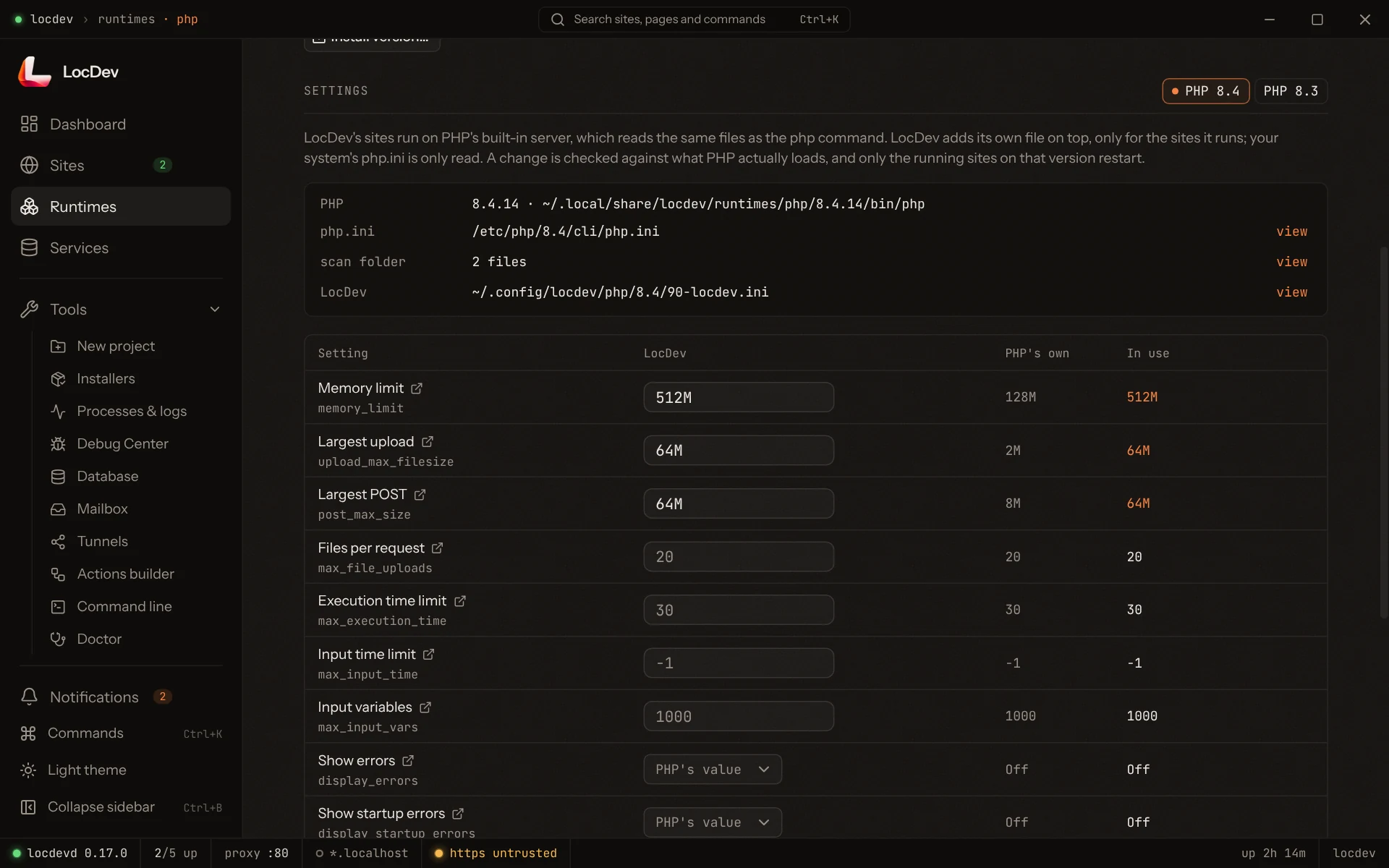
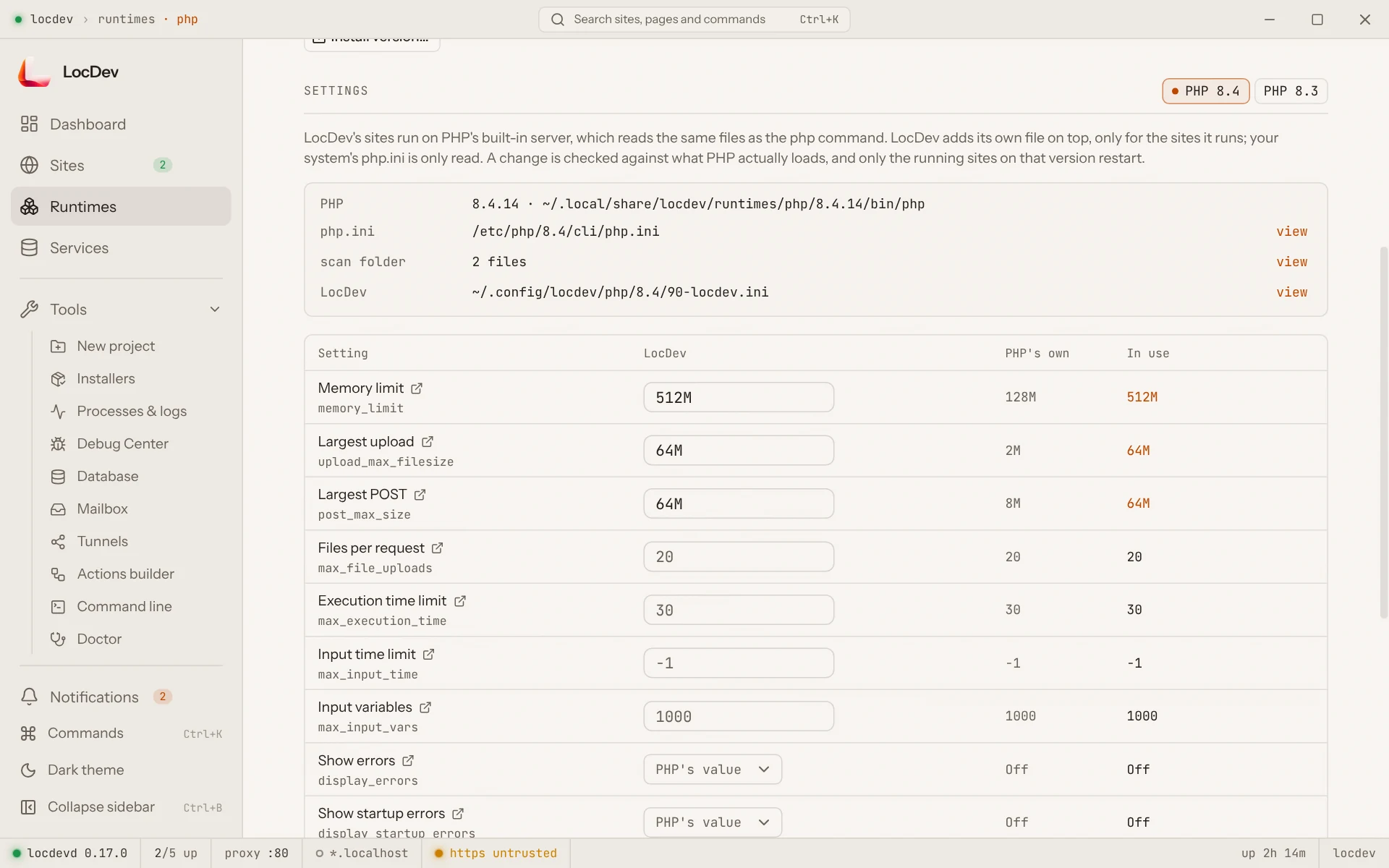
In Runtimes → PHP → settings (or locdev php), you adjust memory_limit, the upload size, the timezone and the other directives of each PHP version, without editing the system's php.ini.
How it works
LocDev's sites run on PHP's built-in server (php -S, artisan serve), which reads the same files as the php command: the loaded php.ini and the files of the scan folder (conf.d). LocDev changes none of them. It keeps one file of its own per version (config/php/<version>/90-locdev.ini, marked "Managed by LocDev") and adds it to the processes it runs through PHP_INI_SCAN_DIR, after PHP's scan folder. So LocDev's value wins, and only for LocDev's sites: the php in your terminal stays as it was.
For each directive the screen shows three values:
| Column | Where it comes from |
|---|---|
| LocDev | LocDev's file (empty: leaves it alone) |
| PHP's own | what PHP reads without LocDev: php.ini, the scan folder or PHP's own default |
| In use | what PHP actually loads with LocDev's file (highlighted when it differs) |
Nothing has a made-up default: until you change a directive, your PHP's value applies.
Versions are grouped by line (8.3, 8.4): the 8.3 settings apply to whatever 8.3.x the sites use. The screen shows which installation was read, the loaded php.ini and the scan folder's files, which you can open read-only.
Directives
| Directive | Type |
|---|---|
memory_limit | size (512M, 2G, -1 = no limit) |
upload_max_filesize | size |
post_max_size | size |
max_file_uploads | number |
max_execution_time | seconds (0 = no limit) |
max_input_time | seconds (-1 = uses the execution limit) |
max_input_vars | number |
display_errors | On/Off |
display_startup_errors | On/Off |
log_errors | On/Off |
error_reporting | constants (E_ALL & ~E_DEPRECATED) or a number |
date.timezone | timezone (America/Sao_Paulo, UTC) |
default_socket_timeout | seconds |
realpath_cache_size | size |
opcache.enable_cli | On/Off (OPcache in the built-in server) |
Values in the wrong format are refused before anything is written. The screen warns about combinations that don't work together (upload_max_filesize larger than post_max_size, post_max_size larger than memory_limit) and about a timezone PHP doesn't know.
PHP's command line forces
max_execution_time = 0andmax_input_time = -1, but the built-in server, which serves the sites, uses the files' value. The screen shows the value the sites get. Commands (artisan,composer) still run without a time limit.
Applying a change
- Change the values in the LocDev column (clearing a field goes back to PHP's value).
- Review changes shows the lines added to and removed from LocDev's file and which running sites will restart.
- On Apply, LocDev keeps the current file in the history, writes the new one and checks with PHP itself what it loads. If PHP refuses it (syntax error, ignored value), the previous file comes back and nothing else changes.
- Only the sites running with that PHP version restart, each with all its processes (server, Vite, queues). The app and the daemon stay open.
Use PHP's values deletes LocDev's file for that version (also through the review).
Advanced configuration
Advanced configuration opens LocDev's file in an editor, with highlighting and Ctrl+S. Any directive PHP accepts can go there (xdebug.mode, opcache.*…), and lines and comments you wrote are kept when you change something through the form. Before it's applied, the file is checked by PHP in a temporary folder: a syntax error is shown and nothing is written. If the file changed since you opened it (in another window or from the CLI), saving is refused so you can reload.
The system's php.ini and the scan folder's files show up read-only: to change one of their values, override it in LocDev's file.
History
Every change keeps the file it replaced (the last 30 per version, in data/state/php-ini-history/<version>/). History → Restore… goes back to an earlier version, with the same review and check.
From the command line
locdev php lines                                   # versions and whether LocDev configures any
locdev php show                                    # LocDev's default version
locdev php show --line 8.3
locdev php set memory_limit=512M upload_max_filesize=64M post_max_size=64M
locdev php set date.timezone=America/Sao_Paulo --line 8.3 --yes
locdev php unset memory_limit
locdev php reset --line 8.3
locdev php edit                                    # LocDev's file in $EDITOR
locdev php file /etc/php/8.3/cli/php.ini           # a file PHP loads, read-only
locdev php history
locdev php restore 1793830885840
set, unset, reset, edit and restore show the change and ask first (--yes skips the question).
Limits
- It applies to the processes LocDev runs (sites, helper servers, queues). The
phpyou run in the terminal doesn't get LocDev's file. - LocDev doesn't use PHP-FPM or Apache/Nginx; the difference between the CLI and the web server is only in the two time limits above.
- Validated on Linux with the system's and Yerd's PHP (a real site served by the built-in server getting the new values after the restart). Windows and macOS weren't tested; on Windows the
PHP_INI_SCAN_DIRseparator is;.