
HTTPS and the local CA
What happens underneath
On first run, the daemon creates a local certificate authority (CA) in <data>/tls/, with the key at 0600, and starts serving HTTPS on 127.0.0.1:443 (or 7443 if 443 is taken).
Each site's certificate is issued in memory on first access, from the name requested in the handshake (SNI), and covers:
blog.testand*.blog.testblog.localhostand*.blog.localhost
Certificates are valid for 397 days and are reissued on every daemon restart.
Links and assets over HTTPS (mixed content)
The proxy ends TLS and speaks plain HTTP to the site's dev server, passing the original scheme and port in X-Forwarded-Proto and X-Forwarded-Port (plus X-Forwarded-Host and X-Forwarded-For). Frameworks read those headers only from proxies they were told to trust (Laravel's TrustProxies, Symfony's trusted_proxies). Without that, a page opened over https:// links to its own assets with http://, and the browser blocks them as mixed content. LocDev handles this in every project, without changing its files:
- PHP (Laravel, Symfony, WordPress, Bedrock, plain PHP): every PHP site loads LocDev's
auto_prepend_file(in<data>/php-prepend/, marked "Managed by LocDev", added throughPHP_INI_SCAN_DIR). On a request that reached the proxy over HTTPS, it sets$_SERVER['HTTPS'] = 'on',REQUEST_SCHEMEandSERVER_PORTas a TLS server would.asset()andurl(), Symfony's toolbar (/_wdt) and WordPress'sis_ssl()then producehttps://. It trusts those headers only on connections from loopback, where the proxy talks from, and the proxy always overwrites them. If your PHP already had anauto_prepend_file, it still runs right after. - Redirects (every stack): on an HTTPS request, a response with
Location: http://<the same host>/…points tohttps://instead. This covers apps that build the URL from anhttp://setting (such as Bedrock'sWP_HOME) and keeps an HTTPS-only site from bouncing between the two schemes. Other hosts and relative locations don't change. - Next.js: LocDev starts the dev server with
--hostname localhost(withNODE_OPTIONS=--dns-result-order=ipv4first, so it still listens on127.0.0.1). With127.0.0.1, Next built its own address from it while middleware seeslocalhost, so a middleware rewrite (next-intl's locale prefix) looked external and Next proxied it to itself: a 500 over HTTPS (EPROTO … wrong version number), or a redirect loop with a default locale without prefix (as-needed). Sites saved with the former command move to the new one when the daemon starts; a command you wrote yourself is left as it is. - Vite next to Laravel: the certificate handed to Vite also covers
localhost,127.0.0.1and::1(see Dev servers).
Why trusting this CA is low risk
The CA is issued with Name Constraints (permitted: test, localhost) and pathlen:0. Browsers and TLS libraries reject any certificate it signs for another domain. Even if the key leaked, it couldn't be used to intercept google.com or your bank.
This has an automated test: an example.com certificate signed by the CA itself is refused by the rustls verifier with a NameConstraint error.
openssl x509 -in ~/.local/share/locdev/tls/ca.pem -noout -ext nameConstraints
# X509v3 Name Constraints: critical
#     Permitted:
#       DNS:test
#       DNS:localhost
Trusting the CA
Trust is optional and explicit:
locdev tls trust
The plan has two steps, both shown before running:
| OS | As administrator | As you |
|---|---|---|
| Debian/Ubuntu | update-ca-certificates | Chrome and Firefox NSS (certutil) |
| Fedora/RHEL/Arch | update-ca-trust | Chrome and Firefox NSS (certutil) |
| macOS | System keychain | (browsers use the keychain) |
| Windows | Cert:\LocalMachine\Root | (browsers use the Windows store) |
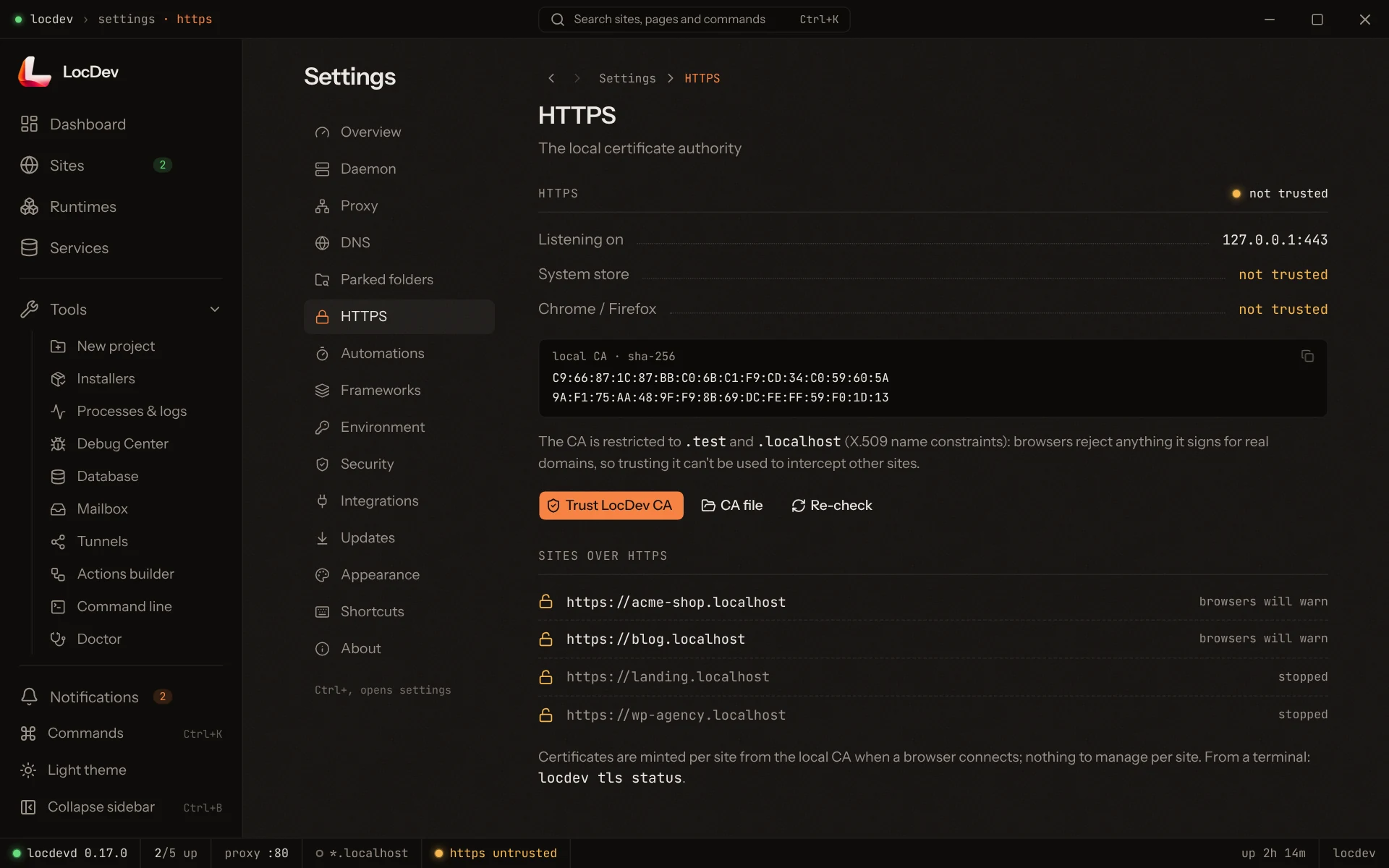
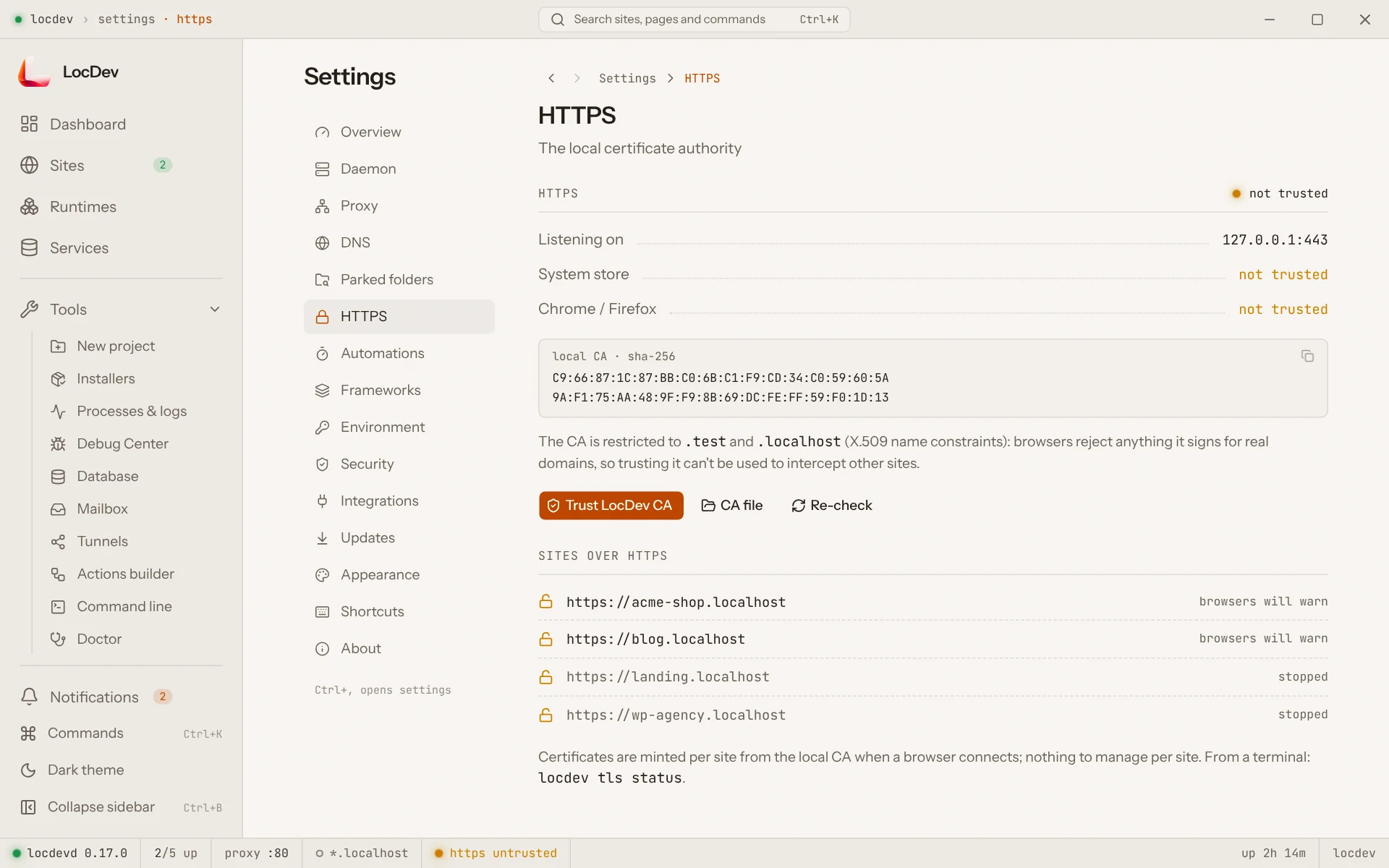
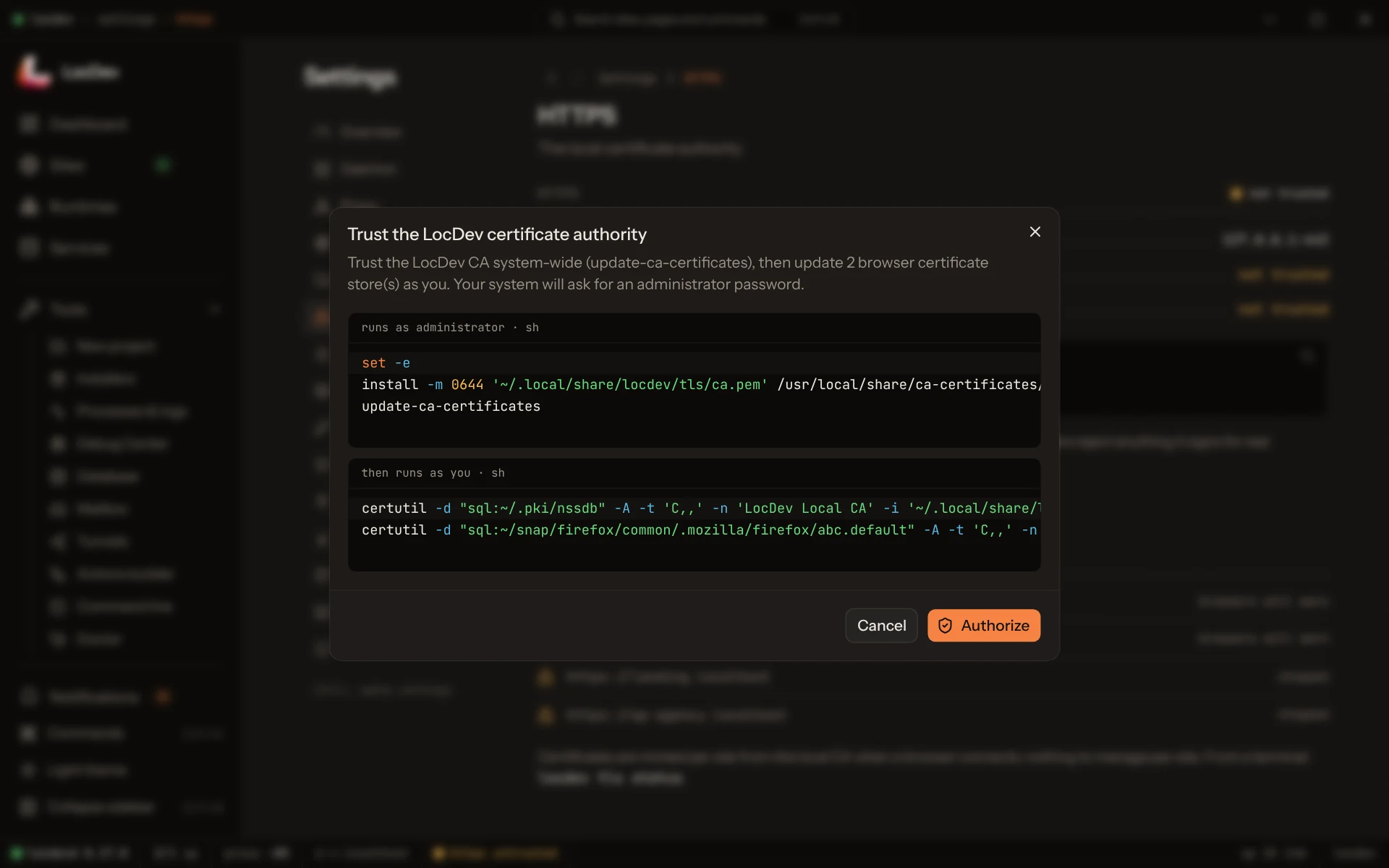
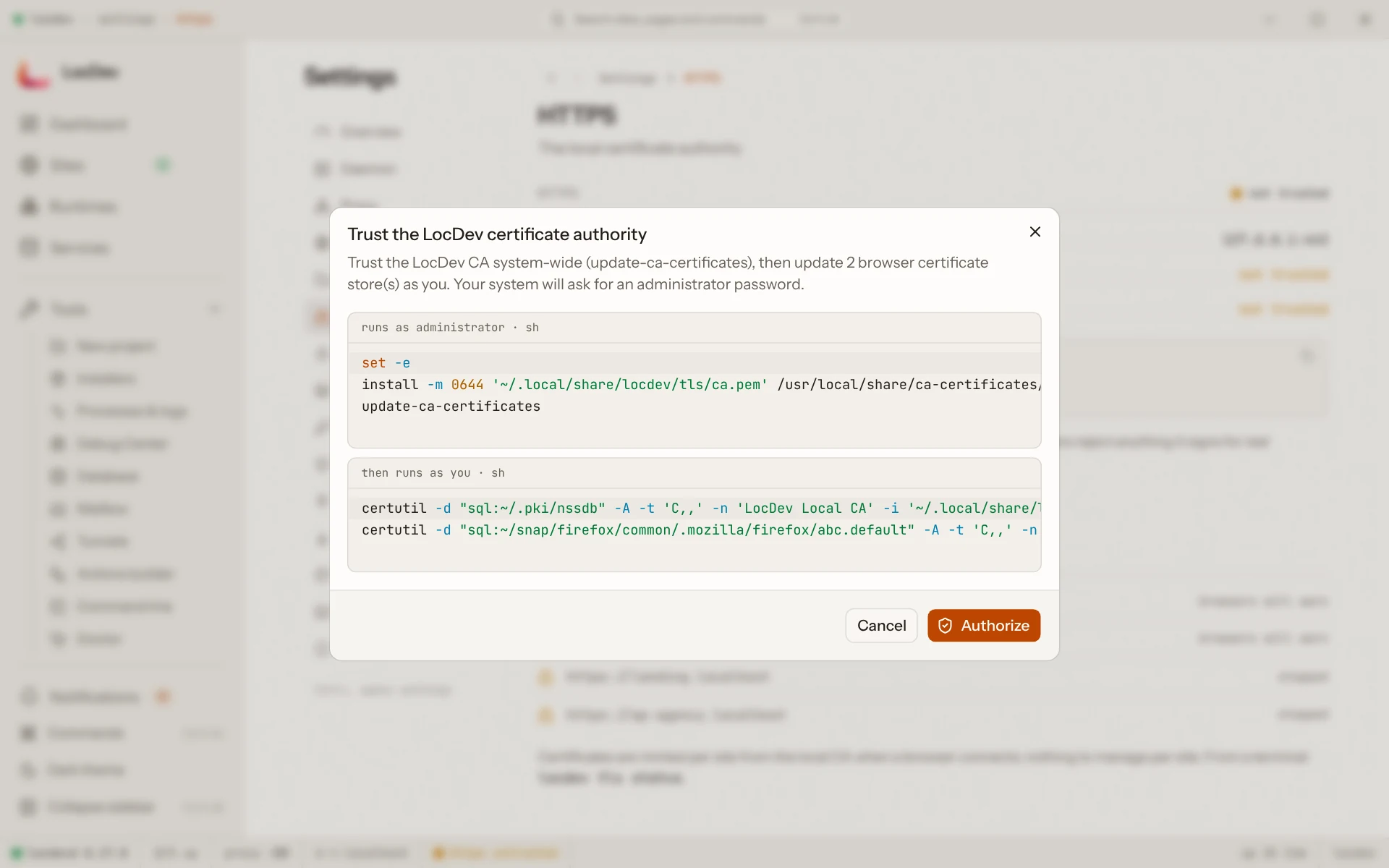
After trusting, restart the browser. Site URLs switch to https:// automatically.
locdev tls status    # port, CA path and fingerprint, trust state
locdev tls untrust   # remove from the system and browsers
On Linux, Chrome and Firefox keep their own certificate database (NSS). LocDev finds the Chrome/Chromium databases and the Firefox profiles, including snap and flatpak versions. Updating them needs
certutil(libnss3-tools).
Checking the fingerprint
The SHA-256 fingerprint appears in locdev tls status and in the app. Compare it with the issuer the browser shows when you inspect a .test site's certificate.
locdev secure
locdev secure [site] makes a site HTTPS-only and checks everything that needs: the HTTPS listener, the site's certificate, *.test resolution and trust in the CA. What needs administrator rights (trusting the CA, routing *.test) uses the same plans as locdev tls trust and locdev dns install: the script is shown and only runs after you confirm (or with --yes). Nothing is installed twice, and there's no second TLS implementation: it's the same local CA.
cd ~/Code/shop
locdev secure          # check, fix with confirmation, and turn on HTTPS-only
locdev secure --off    # serve HTTP as well again
With HTTPS-only, an http://shop.test request gets a 307 redirect to https://shop.test (307 keeps the method and body, so a POST stays a POST). In the app, the same lives in the site's Settings → HTTPS, with a per-site diagnosis.