
Deploy assistant
Each site's Deploy tab (and locdev deploy in the CLI) analyzes the stack and tells you which platforms the project can go to production on, with what needs to change and why. The analysis is recommendation and preparation: it sends nothing to any platform, and environment variables only show by name. To follow and run real deploys, connect Vercel or Netlify (Connected platforms).
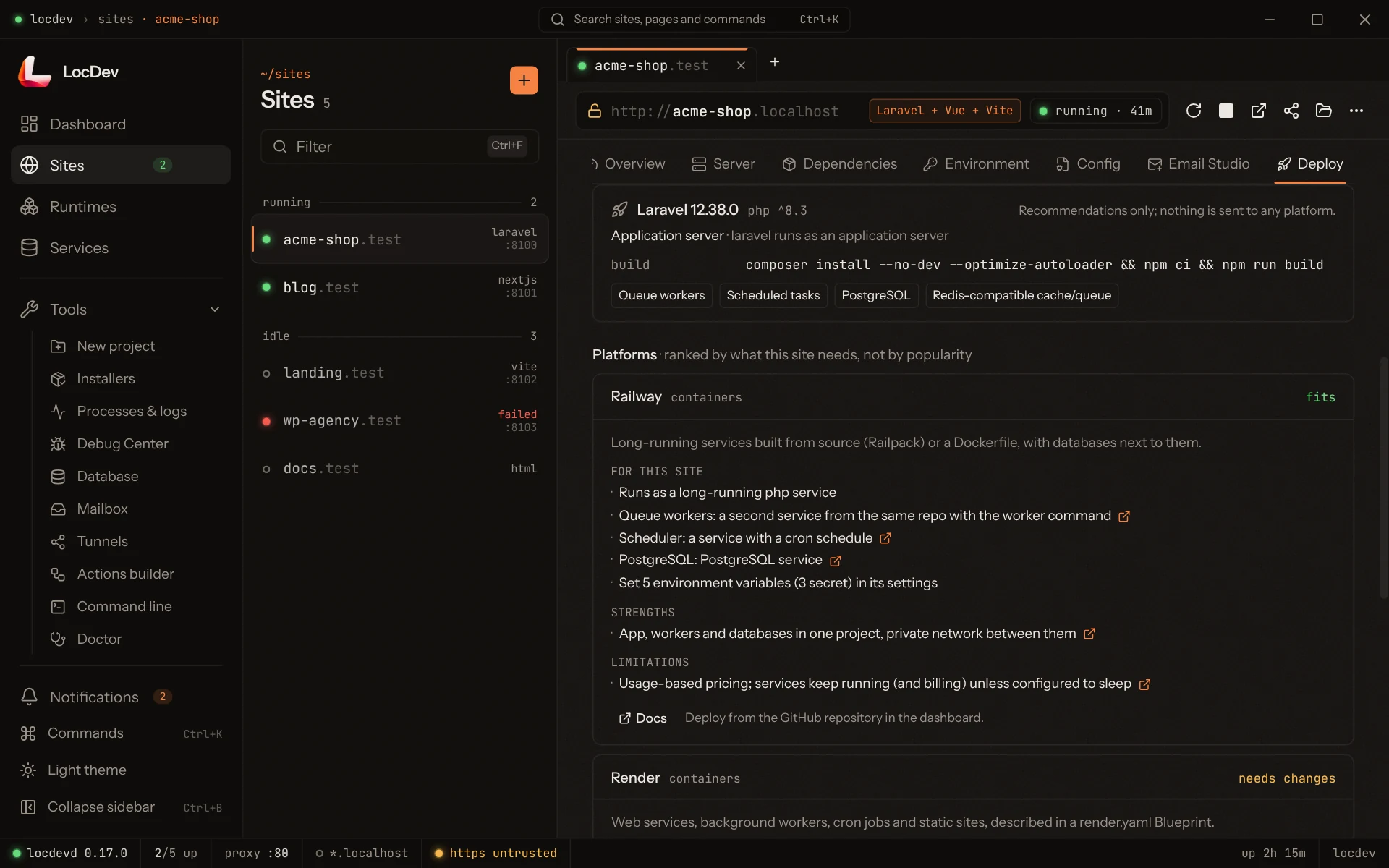
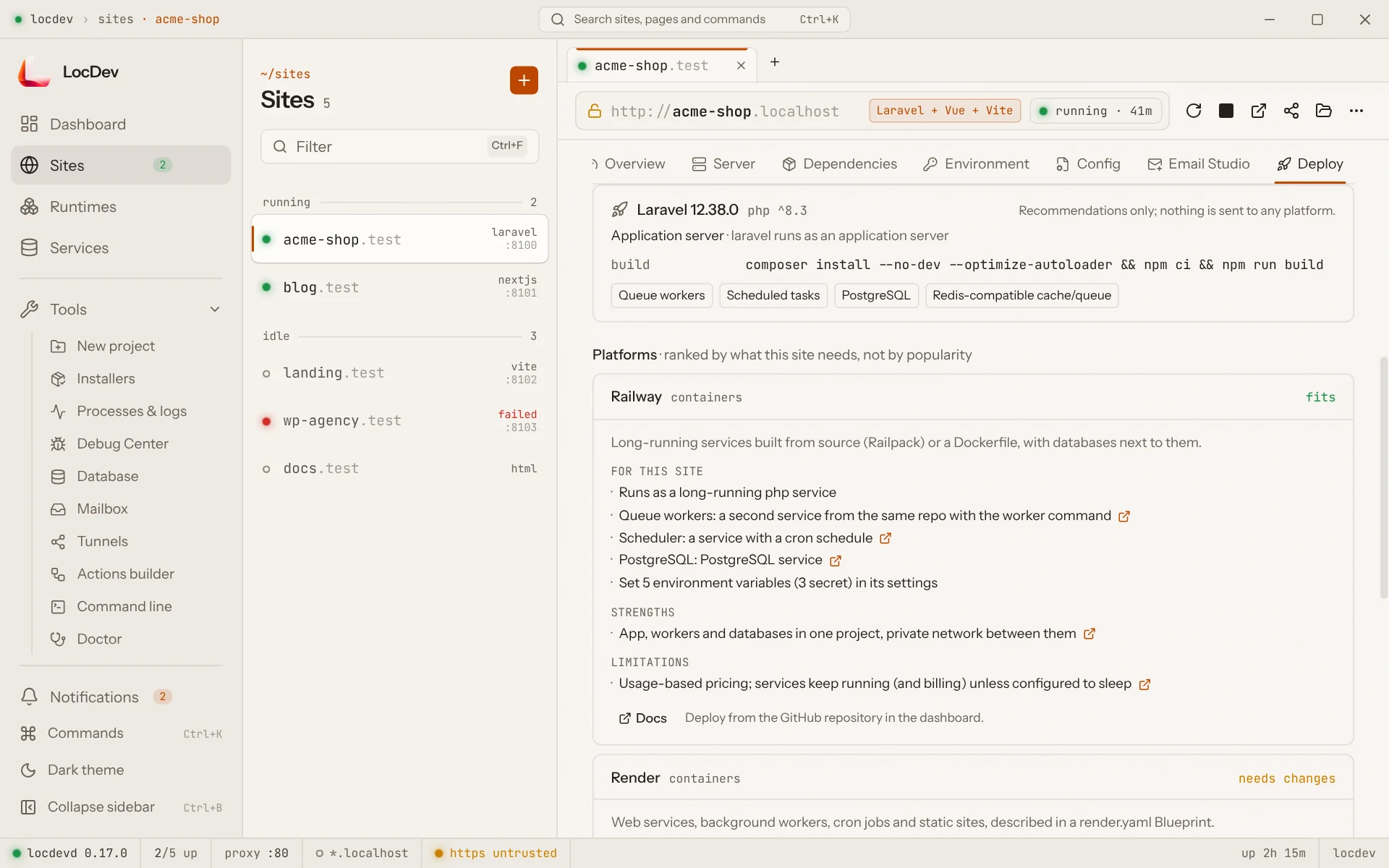
locdev deploy analyze                 # stack, platforms, readiness
locdev deploy analyze --json          # everything, with each source's link
locdev deploy config render           # show the render.yaml LocDev would write
locdev deploy config render --write   # create the file (never over an existing one)
What goes into the analysis
| Where it comes from | |
|---|---|
| Framework, version, runtime | stack detection (installed version) |
| Runtime version | engines.node, .nvmrc, require.php in composer.json |
| Rendering | output: 'export' in next.config, output/adapter in Astro, ssr in Nuxt, adapter-static in SvelteKit…; application servers (Laravel, Django, Express…) |
| WebSockets | Reverb, socket.io, ws, Channels… installed, or a WebSocket process turned on in LocDev |
| Queues and workers | Horizon, BullMQ, Celery, Sidekiq…, a QUEUE_CONNECTION other than sync in Laravel, or a worker turned on |
| Scheduler | tasks in routes/console.php, node-cron, celery beat… |
| Databases and cache | the connections the Database Manager finds in .env (PostgreSQL, MySQL, SQLite, Redis) and MongoDB drivers |
| Files on disk | a local/public FILESYSTEM_DISK with files in storage/app/public |
| Build and start | package.json scripts with the lockfile's manager; composer for PHP |
| Variables | names from .env.example and .env (values never leave the analysis) |
Platforms
Vercel, Netlify, Cloudflare Workers, Railway, Render, Fly.io, Laravel Forge, your own server (VPS) and GitHub Pages. Each gets a verdict:
- fits: runs as is; the "for this site" list says what to configure (a worker service, cron, a managed database…);
- needs changes: possible, by changing something (a Dockerfile, WebSockets on an external service, uploads to object storage, SQLite off ephemeral disk…);
- not suitable: the platform doesn't run this kind of app (PHP on a serverless platform, an application server on GitHub Pages).
The order comes only from the verdict and the number of changes, never from popularity. Each capability and limitation links the platform documentation it came from. The compilation date shows on screen. Platforms change (Vercel, for example, started accepting WebSockets with Fluid compute), so check the source before deciding.
Readiness
Checks that don't depend on the platform:
- Committed
.env: the onlyfailresult, because the secrets stay in the Git history. It also warns when it isn't in.gitignore. .env.example: if it's missing, or doesn't list every variable.- Lockfile and versions: a missing lockfile and an undeclared runtime version.
- Git: uncommitted changes, which a deploy from Git doesn't take.
- Laravel: a local
APP_DEBUG=true, as a reminder to turn it off in production. - SQLite: as the main database, the file is lost on platforms without a persistent disk.
Generated files
Only where the format is documented and stable:
| Platform | File | When |
|---|---|---|
| Render | render.yaml (Blueprint) | Node.js apps: a web service, a Postgres database and Key Value wired with fromDatabase/fromService, variables with sync: false |
| Netlify | netlify.toml | static or SPA builds (with the redirect to index.html) |
No .env value goes into the file: secrets are declared for the platform to ask for. The file is shown first and only created if it's still the one you reviewed. An existing file is never replaced.
The other platforms are configured with their own tools, and the analysis says how:
- Fly.io:
fly launch. - Cloudflare:
npx @opennextjs/cloudflare migrateornpm create cloudflare. - Railway: through the dashboard, or through
.railway/railway.tsapplied withrailway config plan/apply. The oldrailway.jsonwas deprecated and stops working on 2026-12-01, so LocDev doesn't generate it. - Vercel: detects the framework by itself.
Connected platforms
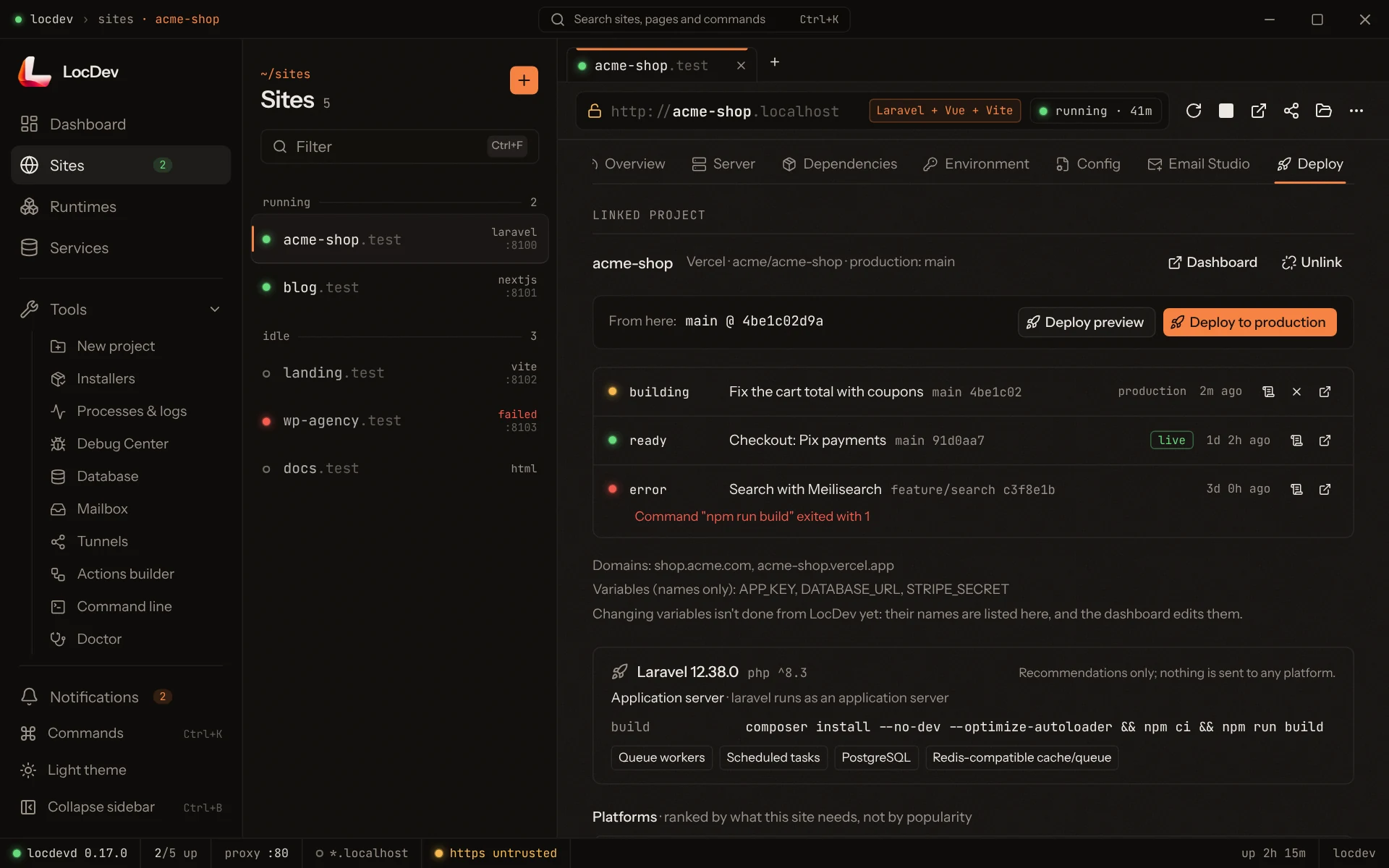
With Vercel or Netlify connected, the Deploy tab shows the linked project above the analysis: deployments with state, branch, commit and when, which one is live, the domains and the variables' names (LocDev never asks the platform for values).
- Connect: in Settings → Integrations → deploy platforms → Connect…, paste a token. It's checked with the platform before it's kept, in the system keyring; only the account's name goes to disk. Vercel: Account Settings → Tokens, scoped to the team that owns the projects (give the team's slug). Netlify: User settings → Applications → Personal access tokens.
- Link: in the site's Deploy tab, pick the project (Vercel) or site (Netlify). The link is kept in
projects.toml(deploy). - Deploy: Deploy preview or Deploy to production. The platform builds what the site's repository has pushed to GitHub. LocDev refuses when that doesn't match the code here: uncommitted changes, unpushed commits, a detached HEAD, another repository, or production from a branch that isn't the project's production branch.
- Follow: the list refreshes on its own while something builds. You can cancel a running deploy, open its build log and roll production back to an earlier deploy (Vercel: points production at it; Netlify: publishes that deploy again).
| Vercel | Netlify | |
|---|---|---|
| Deploy | the exact commit (gitSource) | a build of the branch through Netlify's Git integration |
| Cancel, roll back | yes | yes |
| Build log | yes | not in the public API: LocDev opens the deploy's page |
| Variables | names and environments | names and contexts |
| Domains | yes | yes |
Sources: Vercel REST API and Netlify API, checked on 2026-11-04. Changing variables isn't done from LocDev yet (the platform's dashboard edits them). Render, Railway, Fly.io, Laravel Forge and Cloudflare stay in the analysis only.
locdev deploy platforms
locdev deploy connect vercel --team acme        # the token is read from the terminal, not an argument
locdev deploy projects vercel
locdev deploy link vercel shop
locdev deploy status
locdev deploy run                                # preview; --production for production
locdev deploy logs dpl_…
locdev deploy rollback dpl_…
locdev deploy disconnect vercel
Without a keyring (servers, CI), [deploy] token_store = "file" in config.toml keeps tokens in deploy-tokens.toml (0600).
Limitations
- The analysis is static: it reads files and dependencies, it doesn't run the project.
- Node.js workers and scheduled tasks outside Laravel have no known command, so
render.yamlonly mentions them in notes. - PHP, Python and Ruby on Render need a Dockerfile, and LocDev doesn't generate one.