
Tutorial: PHP and Node.js versions per project and in the terminal
Each project can run with its own version, and the terminal can use the default version you pick in the app. In this tutorial you install two versions, pin one on a site and start using the default in the terminal.
1. Install the versions
locdev runtime available php        # the newest of each line
locdev runtime install php 8.4
locdev runtime install php 8.3
locdev runtime install node lts
In the app, Runtimes → PHP (or Node.js) → Install version…. Versions already on the machine (system packages, Homebrew, nvm, fnm) show up too and can be used; LocDev never changes them.
2. Pin a version on a site
locdev edit shop --php 8.3
locdev reload shop
locdev info shop                     # php 8.3.x (projects.toml 8.3)
A pin can be a line (8.3, which follows the newest installed version of it) or an exact version (8.3.37). Without a pin, LocDev uses the project's version file (.php-version, .nvmrc…), then the range the project declares (require.php, engines.node) and, last, the default version.
3. Choose the default version
locdev runtime default php 8.4
locdev runtime default node 22
The default applies to sites without a pin. In the app, it's in each version's ⋯ menu.
4. Use the default in the terminal
Turn on Use the defaults in the terminal in Runtimes → Overview, or:
locdev runtime terminal on
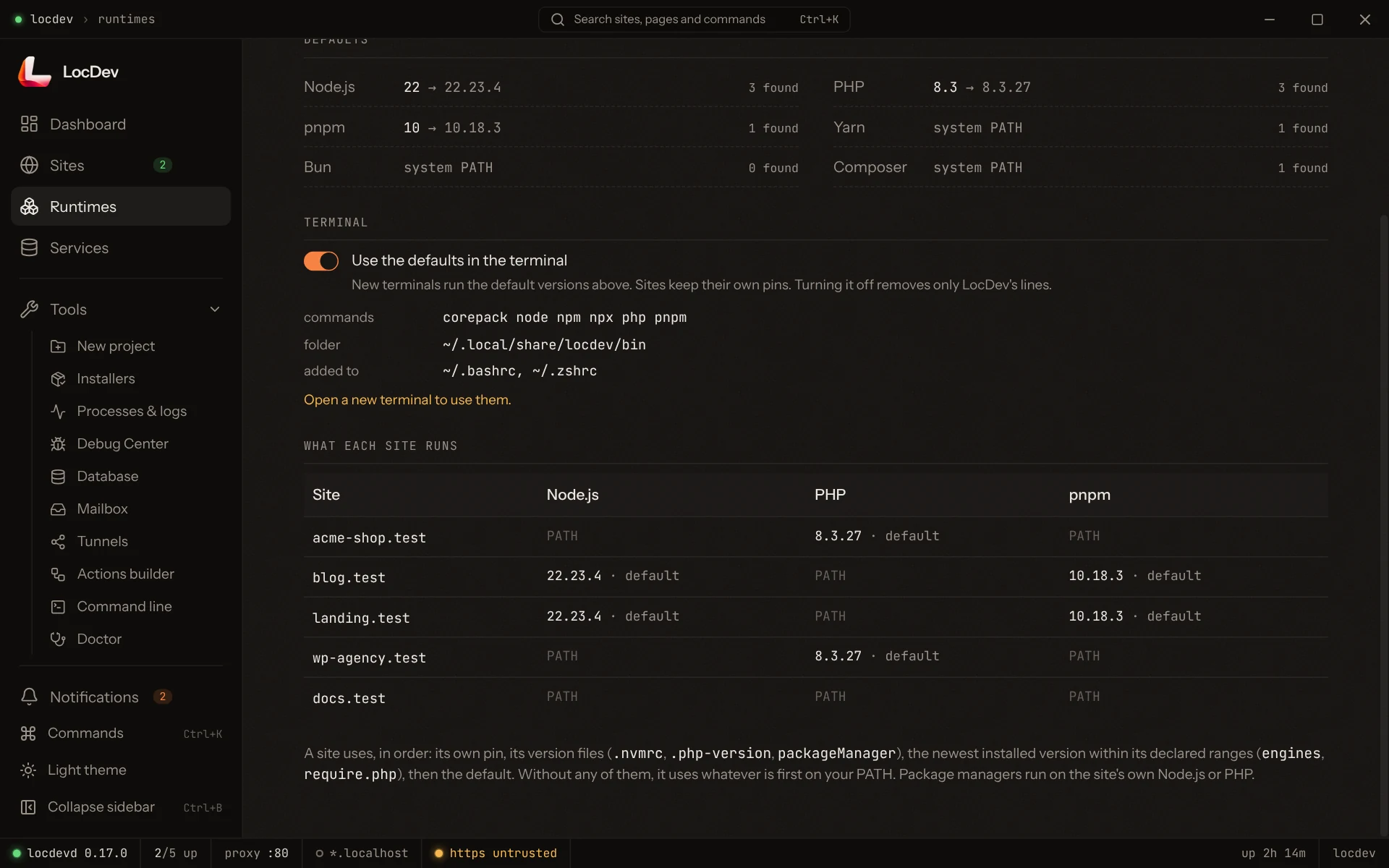
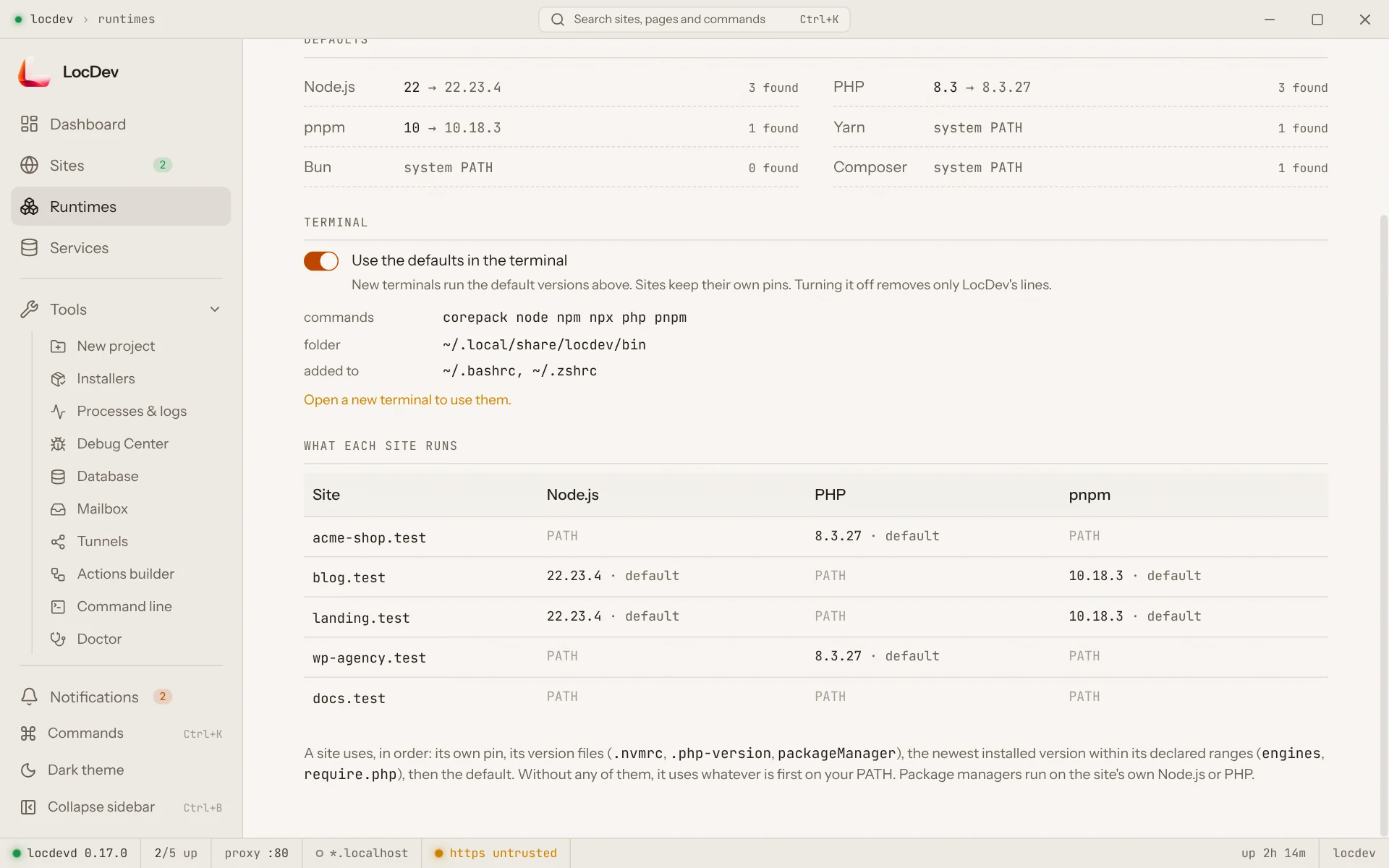
Open a new terminal: php -v, node -v, npm and composer are now the default versions. Changing the default in the app changes what the terminal runs, without reopening anything. To go back to what it was:
locdev runtime terminal off
On Linux and macOS LocDev adds a marked block to ~/.bashrc and ~/.zshrc (and a file of its own for fish); turning it off removes only that block. On Windows, the folder goes first on the user's Path.
5. Update and remove safely
locdev runtime update php 8.4        # installs the newest patch of the line
locdev runtime uninstall php 8.3.37
The old version stays installed after an update, so sites pinned to the exact version keep working. Removing is refused while a running site uses the version.