
Parked folders
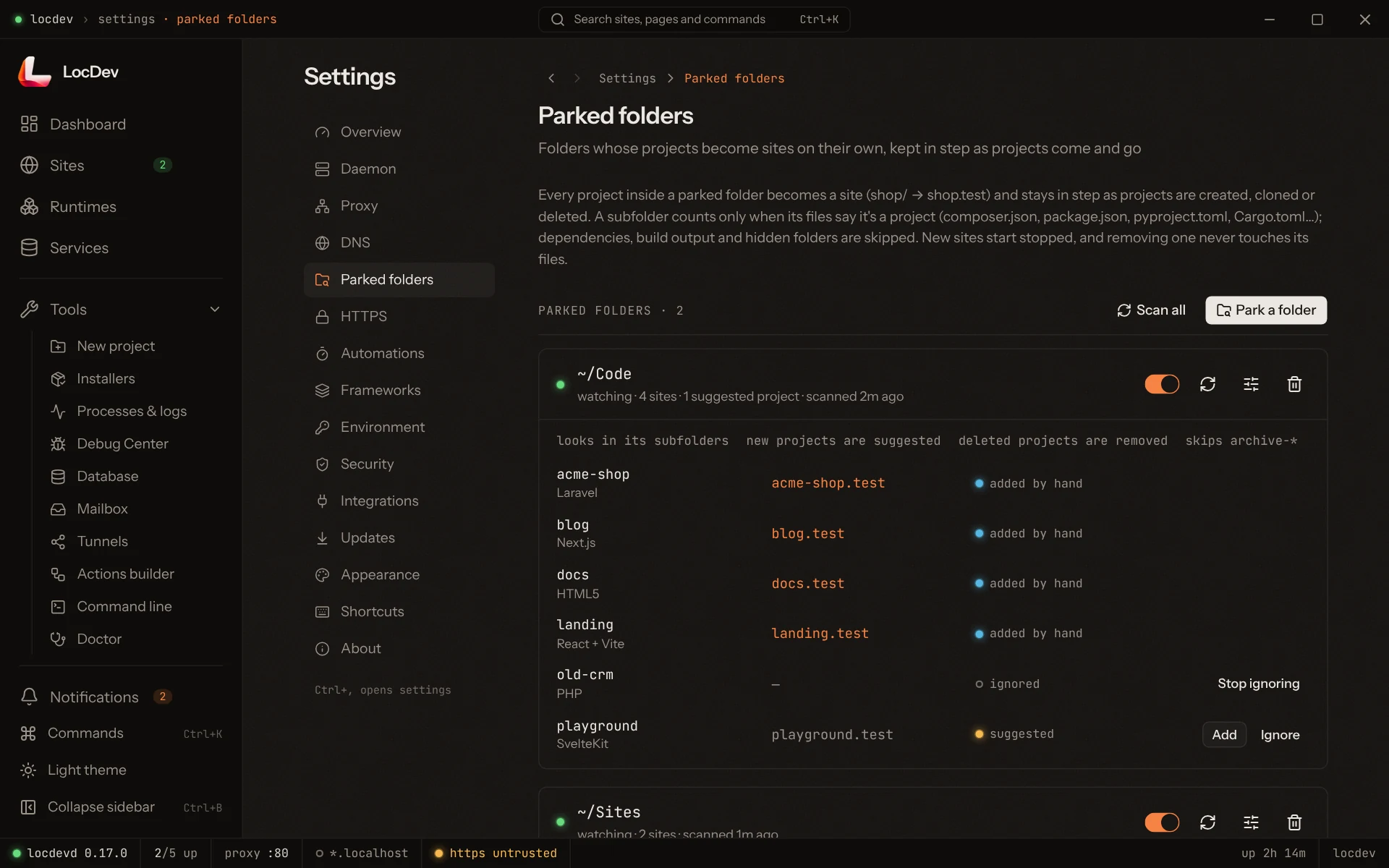
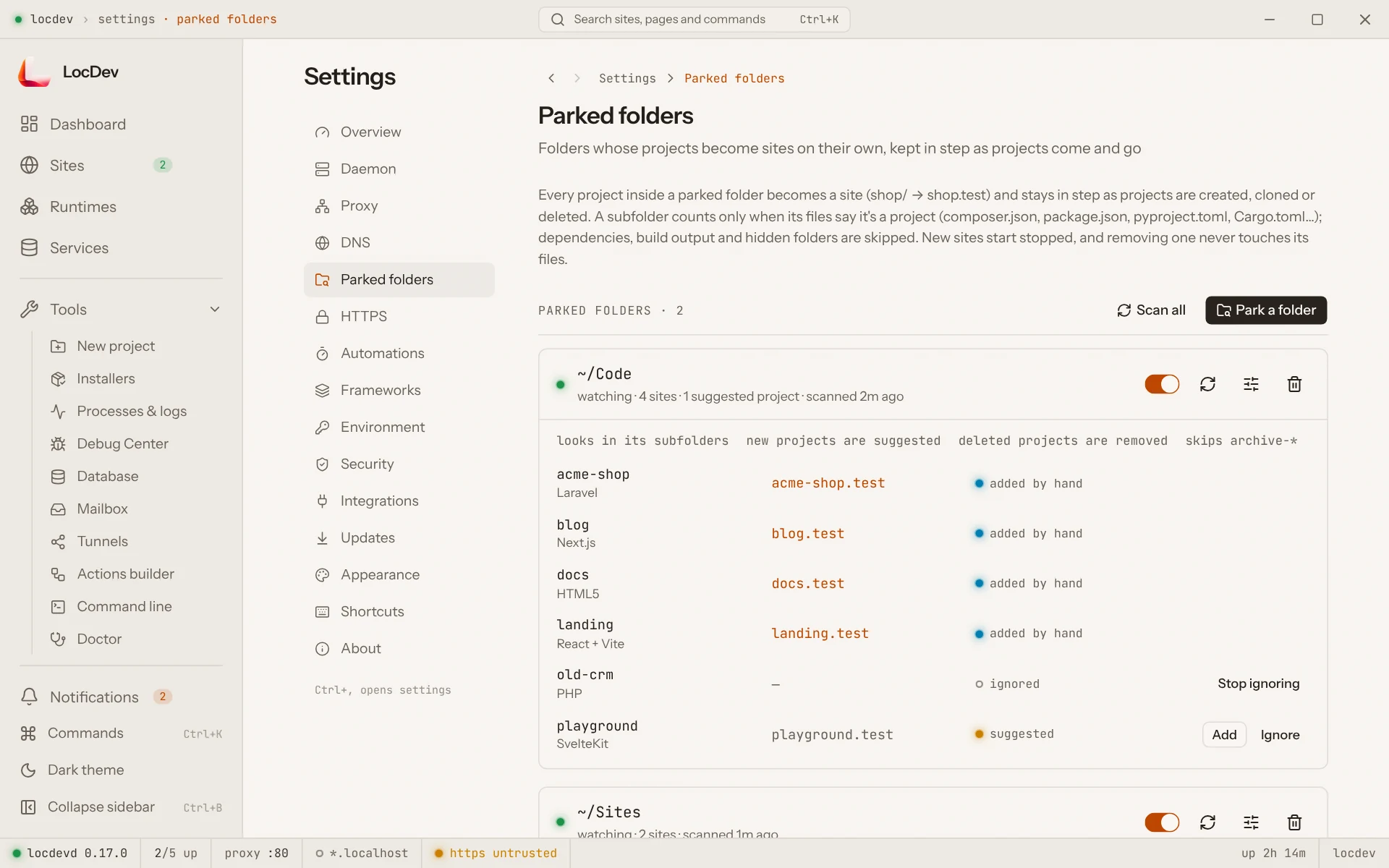
A parked folder is a folder whose projects become sites on their own. Park ~/Development and every project inside it gets its domain:
~/Development/
├── shop/        → shop.test
├── api/         → api.test
├── portfolio/   → portfolio.test
├── dashboard/   → dashboard.test
└── photos/      (not a project: skipped)
The list follows the folder: a project created, cloned or generated there shows up within seconds, and a deleted one leaves the list. Files are never touched.
Availability
| System | State |
|---|---|
| Linux | Available (tested; events through inotify) |
| macOS | Experimental: the code uses FSEvents, but it hasn't been validated on a Mac |
| Windows | Experimental: the code uses ReadDirectoryChangesW, but it hasn't been validated on Windows |
On any system, when file events aren't available, the folder is still rescanned every 5 minutes.
What counts as a project
A subfolder becomes a site only when its files say it's a project, through the same detection as locdev add (Frameworks): artisan and composer.json (Laravel), package.json (Node.js, Next.js, Vite…), pyproject.toml, requirements.txt or manage.py (Python), Cargo.toml (Rust), index.php, index.html and the rest of the frameworks table. The folder's name doesn't matter.
Never treated as projects nor searched:
- hidden folders (
.git,.cache…); - dependencies and build output:
node_modules,vendor,bower_components,target,dist,build,out,coverage,tmp,temp,cache,storage,venv,env,__pycache__,site-packages,Pods,DerivedData; - whatever you exclude (see Rules).
The search never goes into a project: a project's subfolders (a monorepo's packages, for instance) don't become separate sites. Symbolic links are followed, but each real folder is visited once, so a link pointing up creates neither a loop nor a duplicate site.
Park a folder
In the app: Settings → Parked folders → Park a folder. Pick the folder and the rules.
From the CLI (without a path, the current folder):
locdev park
locdev park ~/Development
locdev park ~/Clients --depth 2 --exclude 'archive-*'
These can't be parked:
- a folder that is itself a project (add it with
locdev add); - a folder inside a parked one, or one that contains a parked folder (each project can only be found one way);
- the root of a drive.
Rules
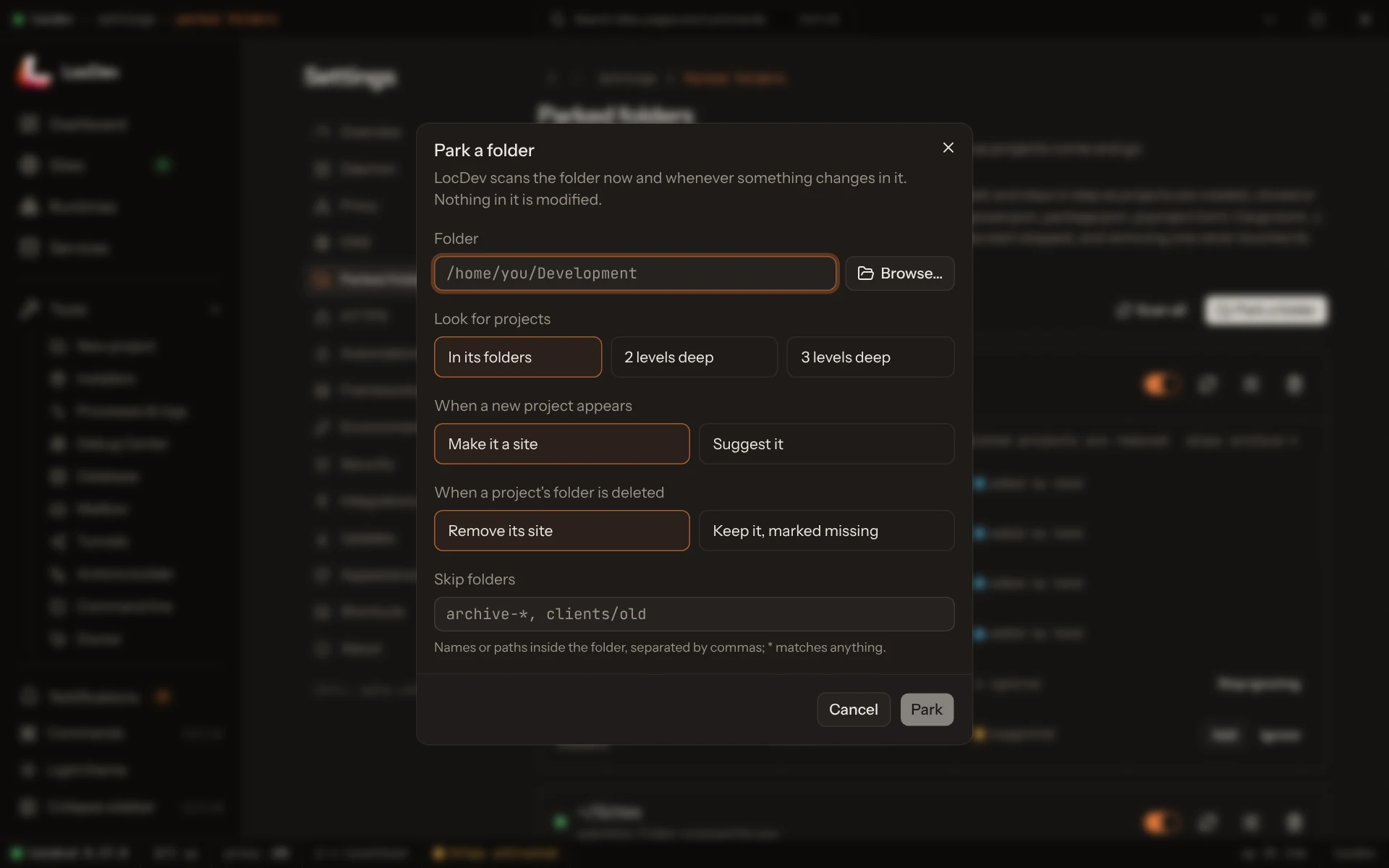
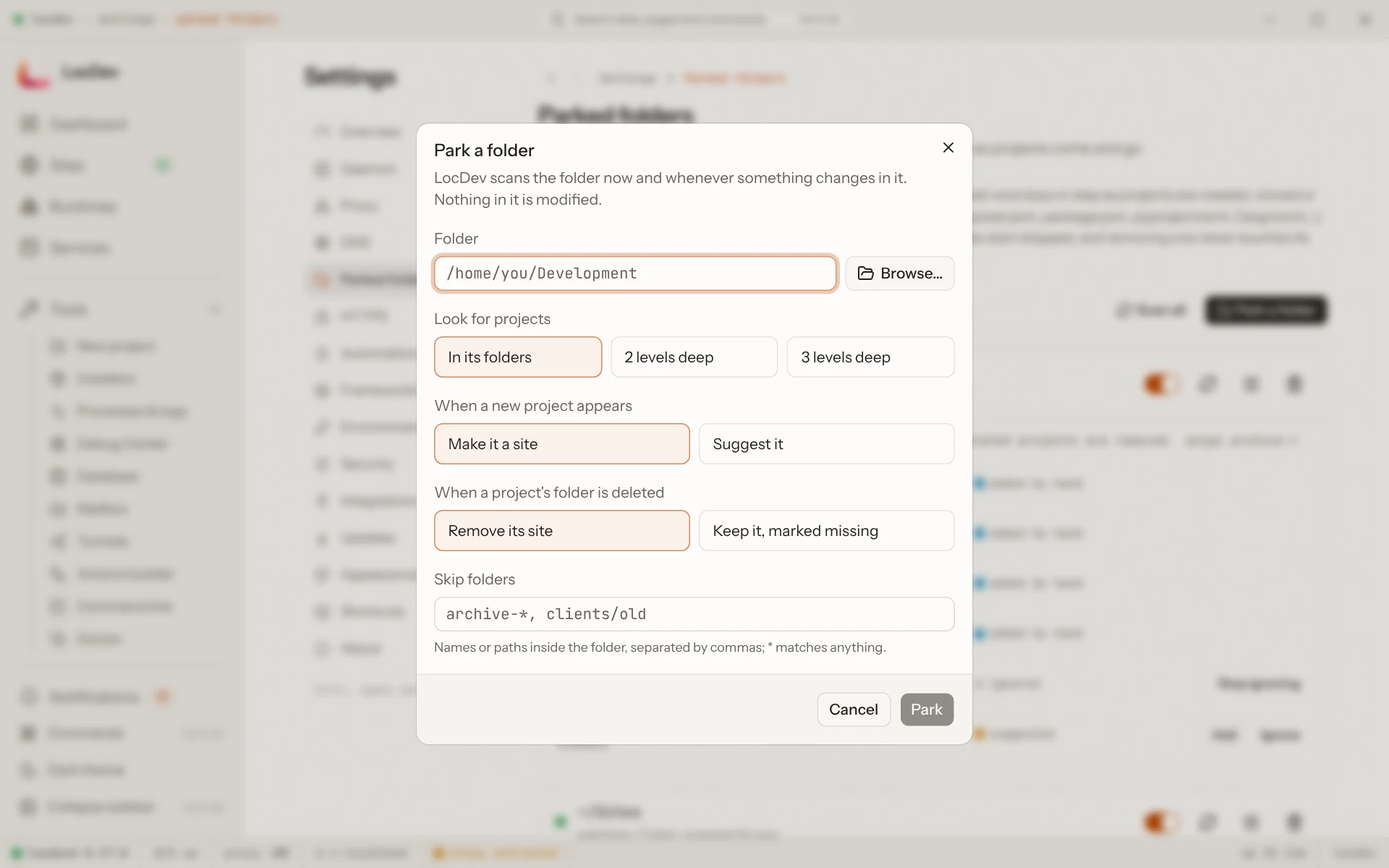
| Rule | Options | Default |
|---|---|---|
| Look for projects | in its folders (1), down to 2 or 3 levels | 1 |
| When a new project appears | Make it a site or Suggest it (listed; you add it) | Make it a site |
| When a project's folder is deleted | Remove its site or Keep it, marked missing | Remove its site |
| Skip folders | names or relative paths, * matches anything (archive-*, clients/old) | none |
To change the rules, run locdev park again on the same folder: only what you pass changes.
locdev park ~/Development --suggest          # new projects are only suggested
locdev park ~/Development --keep-missing     # a deleted folder's site stays
locdev park ~/Development --no-exclude       # clears the exclude list
With depth 2 or 3, the search only goes down through folders that aren't projects: in ~/Clients/acme/shop, acme must not be a project for shop to be found.
Found projects
Each project shows up in the folder's list with a state:
| State (app) | CLI | Meaning |
|---|---|---|
| site | site | became a site because of this folder |
| added by hand | site (added by hand) | was already one of your sites; stays as it is |
| suggested | suggested | waiting for you to add it (Add in the app, or locdev add <folder>) |
| ignored | ignored | you don't want this project as a site |
| not added | not added | the site couldn't be created (the reason is shown next to it) |
locdev park list
/home/you/Development  watching · depth 1 · new: become sites · gone: removed · scanned 12s ago
  api        api.test                      Rust                site
  dashboard  dashboard.test                Next.js             site
  portfolio  portfolio.test                HTML5               site
  shop       shop.test                     Laravel             site
New sites start stopped and without auto-start; nothing runs until you ask. The port, the command and the runtime come from detection, as with locdev add.
Repeated names
The site's name is the folder's. When it's taken, LocDev adds the parent folder's name (shop-clients for ~/Clients/shop, or shop-development for ~/Development/shop) and, if that's taken too, a number (shop-2 to shop-9). The reason is shown next to the project. Once registered, the name sticks: later scans don't rename sites.
Ignore a project
locdev park ignore ~/Development/scratch
locdev park unignore ~/Development/scratch
Ignoring removes the site (when it came from the folder) and keeps it from coming back. Removing a site that came from a parked folder, in the app or with locdev remove, does the same: it becomes ignored there, otherwise it would return on the next scan.
Scans and events
LocDev scans the folder when you park it or change its rules, when something changes in it (file events, gathered until the folder has been quiet for 1.5 s, so a git clone or a laravel new counts as one change) and, to recover missed events, every 5 minutes. To force one:
locdev park scan
locdev park scan ~/Development
Events come only from the parked folder and the folders in between (which aren't projects); LocDev doesn't watch inside projects, so it doesn't spend the system's watch limit on node_modules.
If the parked folder itself disappears (an unplugged external drive, a renamed folder), no site is removed: the folder shows "folder missing" and the sites work again when it's back.
Pause and stop parking
locdev park disable ~/Development    # no scans or events; the sites stay
locdev park enable ~/Development
locdev park remove ~/Development     # the sites that came from it leave LocDev
locdev park remove ~/Development --keep-sites
park remove stops and removes only the sites that came from the folder; sites you added by hand stay. With --keep-sites, its sites stay as regular sites. In no case is a folder or file deleted.
Where it's kept
The folders and their rules are in config/parked.toml, in LocDev's configuration folder (Configuration). Each site that came from a parked folder keeps its origin in parked in projects.toml.
Known problems
- "is itself a project": you tried to park a project's folder. Add it with
locdev addor park the folder above it. - "overlaps the parked folder": the folder is inside a parked one (or contains one). Raise the depth of the outer one instead.
- "rescanned every 5 minutes" / "watching unavailable": the system refused file events (on Linux, usually the
fs.inotify.max_user_watcheslimit). Everything still works, with up to 5 minutes of delay. - A project doesn't show up: check that it has one of the files detection recognizes, that it isn't in a skipped folder, that the depth reaches it and that it isn't ignored.